Camera Company
Company
Shop By Category
T&Cs
Shop Online
  • The maker's specifications on every page
  • Free tracked USA-wide delivery over $150
  • 14-day returns

1080p 60fps Webcam with Light | Autofocus streaming webcam | Webcam with ring light

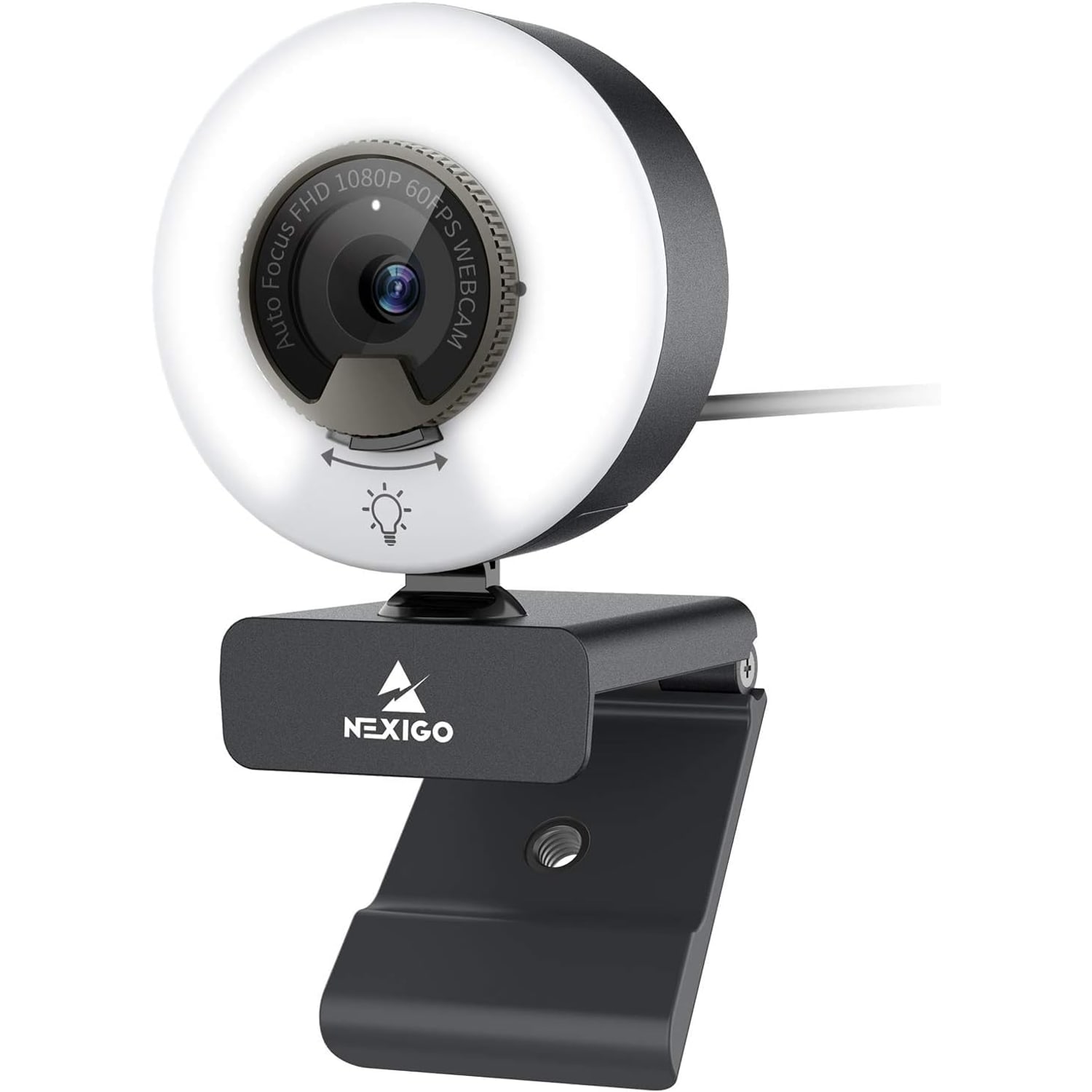
1080p 60fps Webcam with Ring Light

$139.99 $167.99 Save $28
  • Adjustable Ring Light
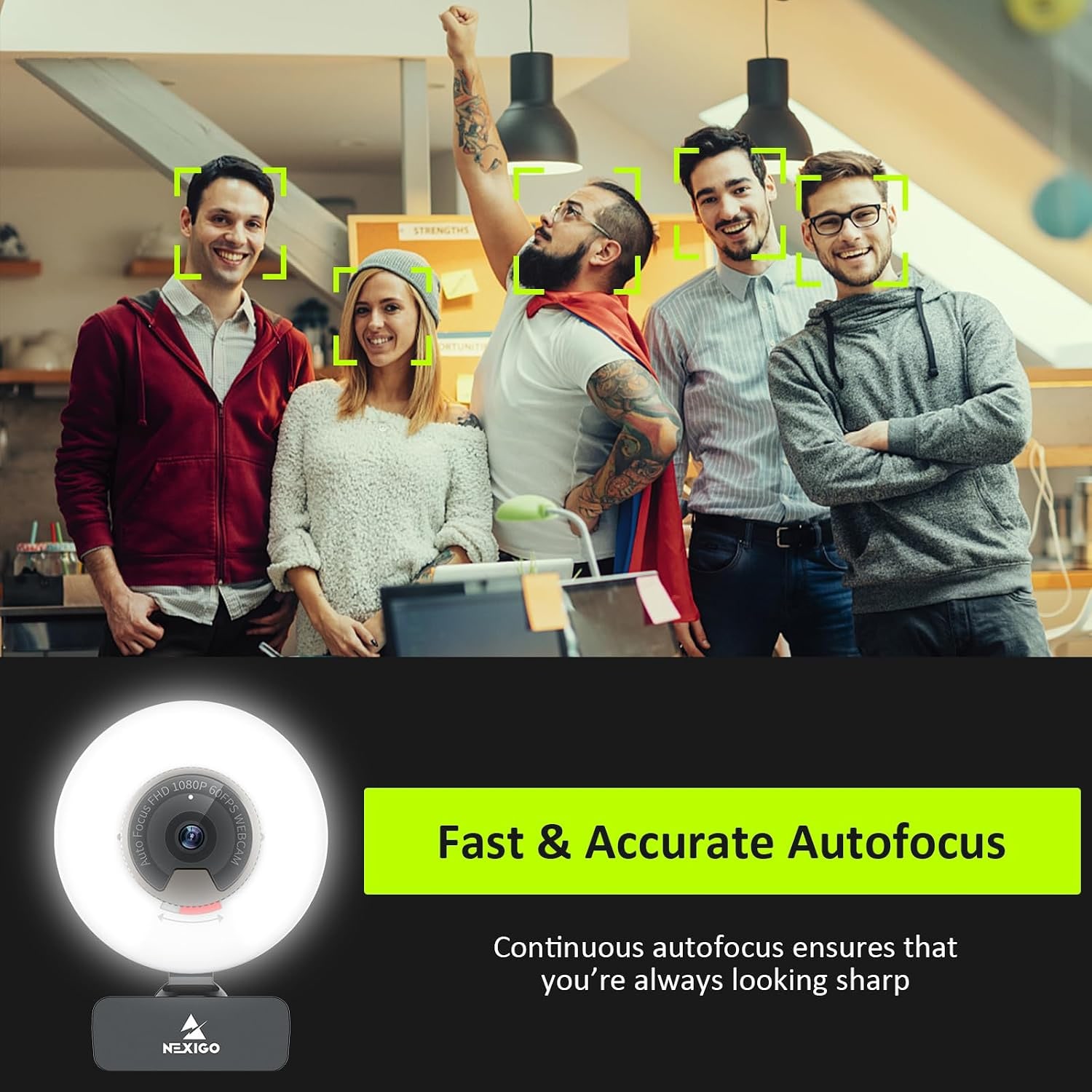
  • 60fps Autofocus
  • Built-In Privacy Cover
  • Plug And Play USB

Price: $139.99 $167.99

  • Free tracked USA-wide delivery on orders $150+, otherwise a flat $20
  • Pay by card or PayPal, handled by the payment provider
  • 14 days to change your mind, plus your statutory rights
Product specifications
Video Resolution1080p Full HD (1920 x 1080)
Frame RateUp to 60 fps
Focus TypeAutofocus
Lens TypePrime
Aperture2.8 (maximum and minimum as stated by the maker)
Field of View65 degrees
Sensor TechnologyCMOS
Sensor Size1/2.9 inch
Still Resolution2.07 MP
Aspect Ratio16:9
Video Capture FormatYUY2 / MJPG
File FormatMP4
Image FormatJPEG
Audio FormatsMP3, WAV, AAC
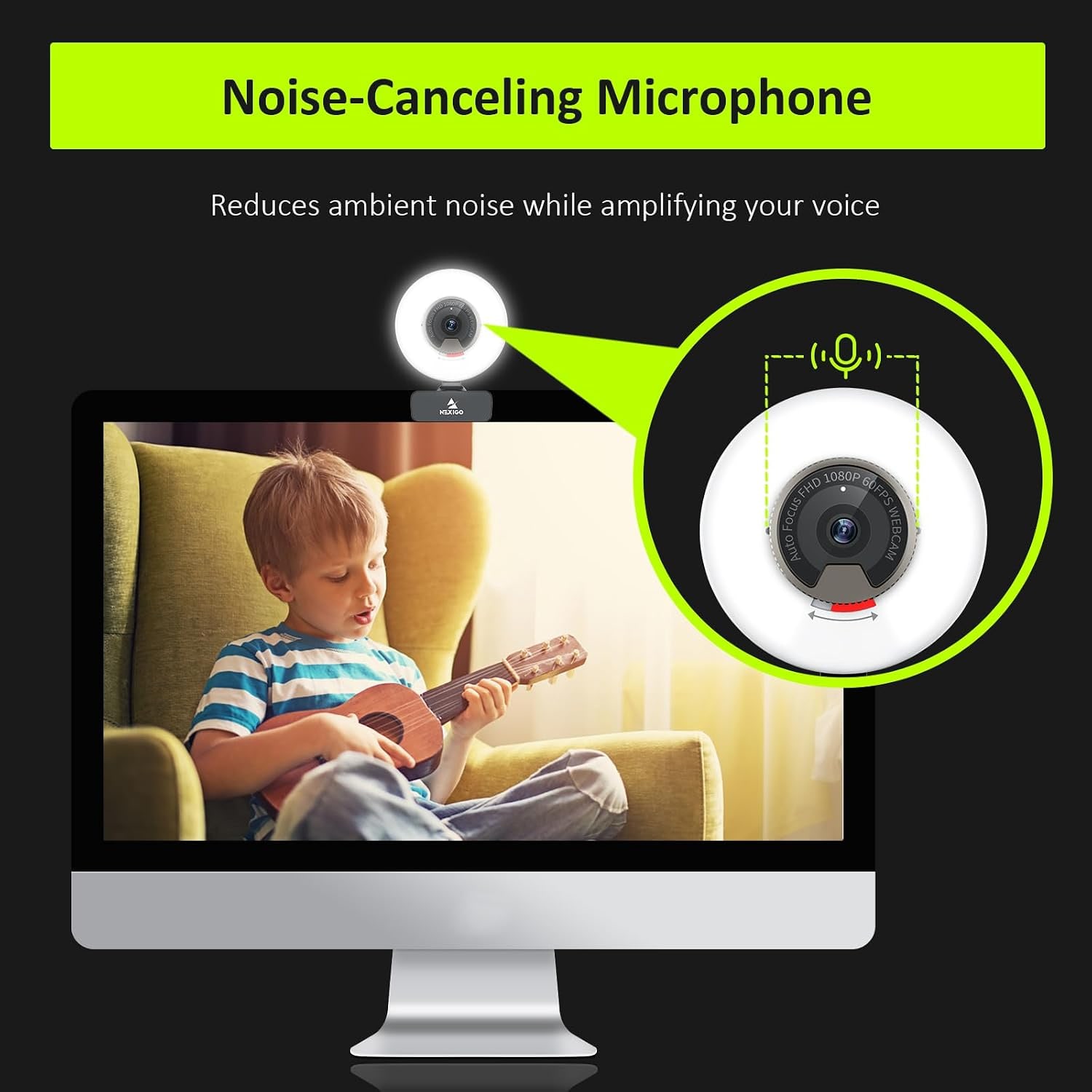
MicrophoneBuilt-in with noise-canceling technology
Fill LightThree-level adjustable ring light, stepless brightness
PrivacyBuilt-in sliding privacy cover
MountingClip plus 1/4 inch tripod thread
Image StabilizationDigital
ZoomDigital
White BalanceAuto
Exposure ControlAutomatic
ConnectivityUSB
Operating SystemsWindows, Mac, Linux, Chrome OS, Ubuntu
Compatible DevicesPersonal computer, laptop, smartphone, tablet
Form FactorCompact
ColorBlack
Item Dimensions (D x W x H)2.36 x 1.78 x 3.43 in
Item Weight0.23 kg
In The BoxWebcam, USB cable, privacy cover, user manual
Water ResistanceNot water resistant
ModelN960E
Weight0.23 kg
Shipping & returns

Tracked delivery anywhere in the USA. It is free on orders of $150 or more, and a flat $20 below that.

If it is not right for you, send it back within 14 days of delivery in resaleable condition and we refund the price you paid, including standard delivery. That is a voluntary policy we offer on top of your legal rights. You cover the cost of returning it unless the item is faulty.

If it arrives faulty, damaged or not as described, we put it right at no cost to you under the consumer protection law of your state and the Federal Trade Commission Act, return postage included.

Shipping details · Refunds and returns

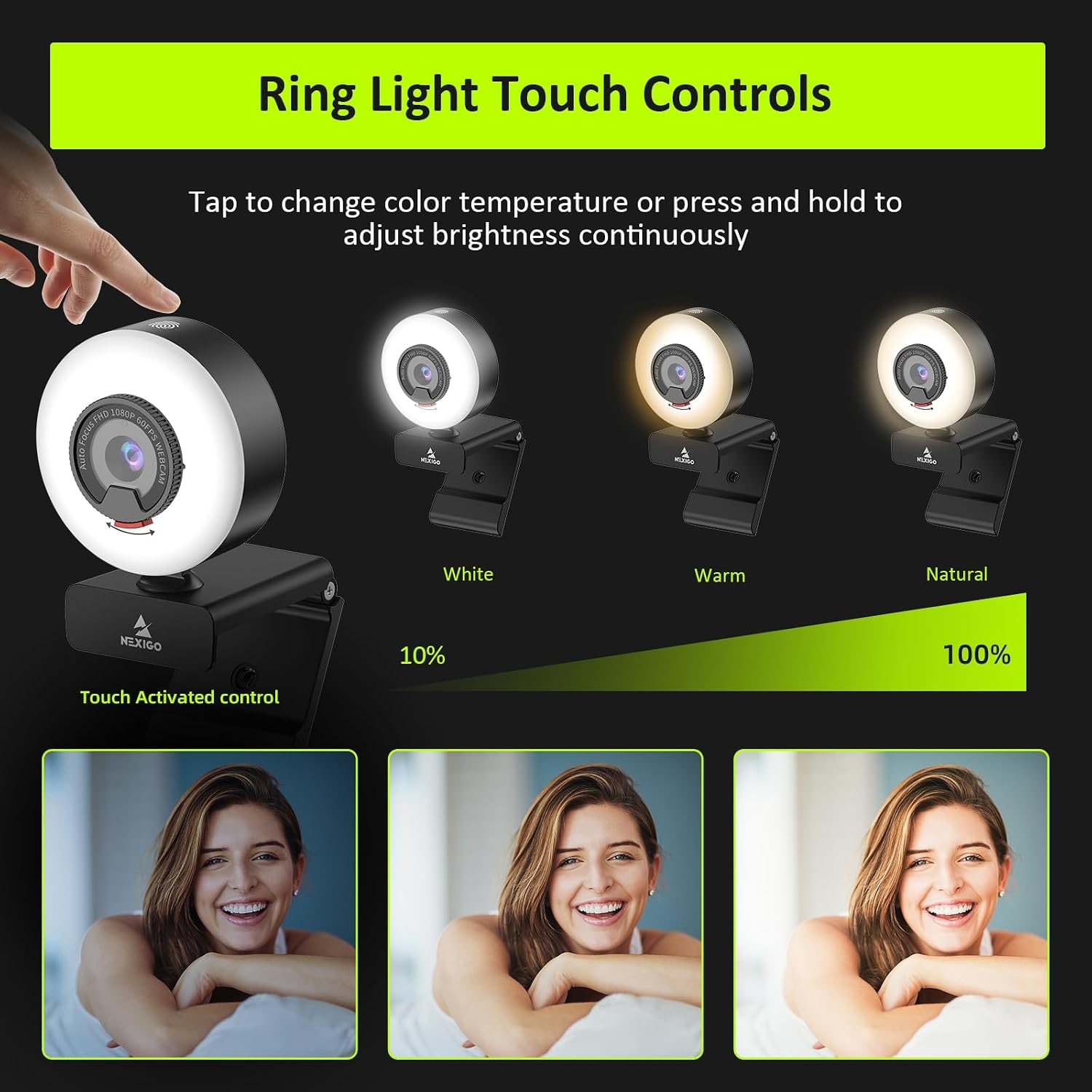
Adjustable Ring LightThree light modes with stepless brightness for dim desks and evening calls.
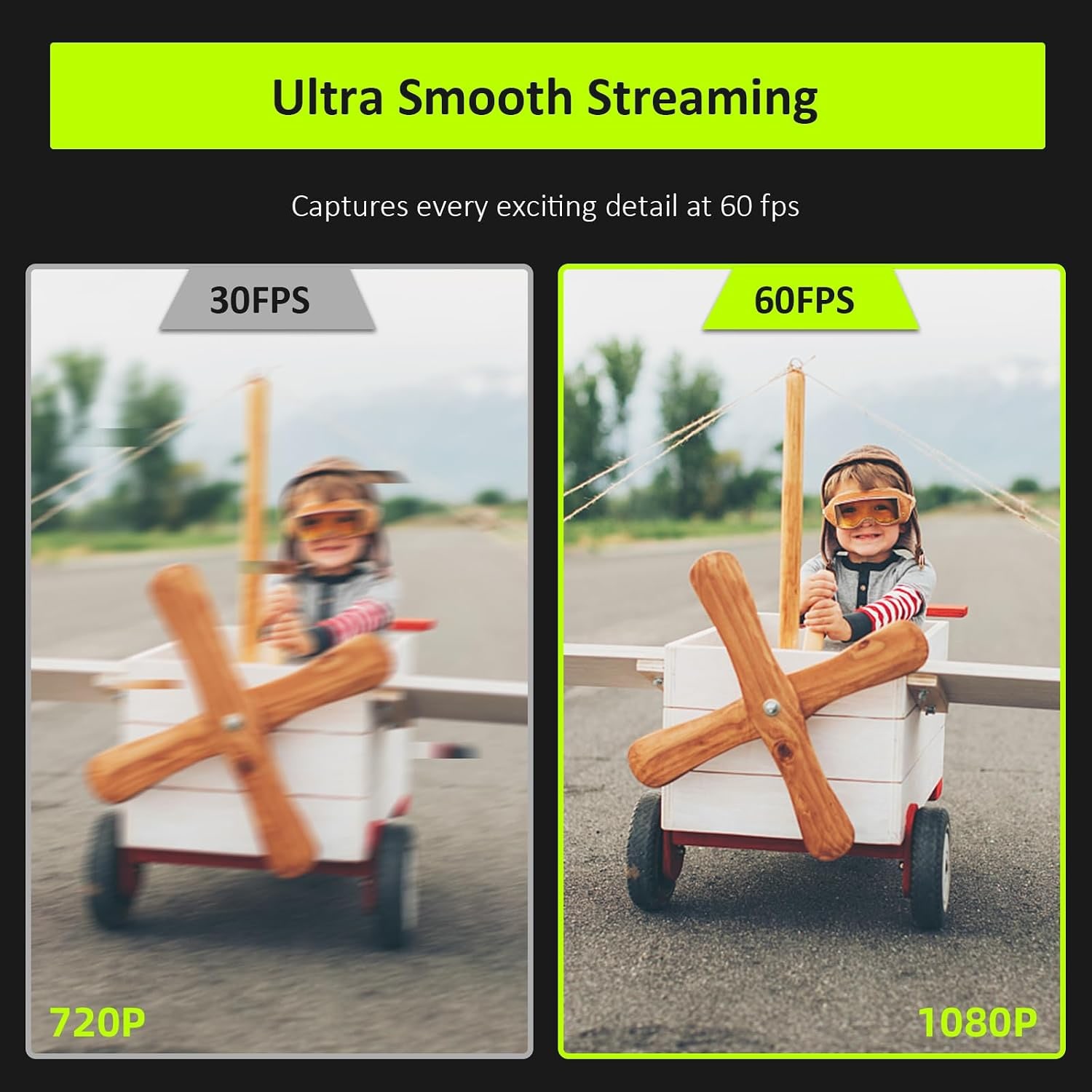
60fps Autofocus1080p video at up to 60 frames per second, kept sharp as you move.
Built-In Privacy CoverSlide the cover closed over the lens when the camera is not in use.
Plug And Play USBWorks over USB with Windows, Mac, Linux, Chrome OS and Ubuntu, no driver needed.

Look sharp and well lit on every call with a 1080p 60fps webcam with light that handles dim rooms without a studio setup.

A three-level adjustable ring fill light, autofocus at 60 frames per second, a noise-reducing built-in microphone and a sliding privacy cover, all over plug-and-play USB.

A built-in ring fill light with three modes and stepless brightness lets you set a soft, even light level instead of fighting a dark room.

Full HD 1920 x 1080 video at up to 60 frames per second keeps motion smooth on calls, classes and live streams.

Enhanced autofocus holds you sharp when you lean in to read something or sit back from the desk.

The built-in microphone uses noise-canceling technology to cut background sound so your voice carries clearly.

A sliding privacy cover and a 1/4 inch tripod thread mean you control both who sees you and where the camera sits.

1080p 60fps Webcam with Ring Light

Most laptop cameras were never meant to carry a full workday. They are small, slow to focus, and they give up the moment the light drops. This 1080p 60fps webcam with light tackles the two problems that cause nearly every bad call, a soft picture and a dark face, with a Full HD autofocus camera and a ring fill light built into the same compact body.

1080p 60fps Webcam with Ring Light

The light is the part people notice first. It has three modes that you cycle with a touch, plus stepless brightness you set by touching and holding. The tone is soft rather than harsh, so you get a lift without a hot glare in your glasses. On a desk pushed against a wall, or at the end of a short winter afternoon, that one feature changes how you read on camera.

1080p 60fps Webcam with Ring Light

On the camera side you get 1920 x 1080 resolution at up to 60 frames per second through a CMOS sensor with a prime lens and a 65 degree field of view. The higher frame rate matters when you move, point at something, or demonstrate a task. Autofocus keeps you sharp when you lean toward the screen, and automatic exposure and white balance handle the rest without menus.

1080p 60fps Webcam with Ring Light

Audio is covered by a built-in microphone with noise-canceling technology, which pulls down steady background sound so your voice stays in front. Connection is a straightforward USB-A plug with no driver install, and it works with Windows, Mac, Linux, Chrome OS and Ubuntu, so it moves between a work laptop and a home desktop easily.

1080p 60fps Webcam with Ring Light

Practical details round it out. The sliding privacy cover closes over the lens when you are done for the day. The clip sits on most monitors and laptop lids, and a 1/4 inch tripod thread on the clip lets you move the camera to a stand for overhead shots, product demos, or a second angle. The whole thing weighs 0.23 kg, so it travels without fuss.

Not sure yet? That is fine.

A camera has to suit the job you bought it for, and you cannot always judge that from a photograph. If it is not right for you, send it back within 14 days of delivery in resaleable condition and we refund the price you paid, including standard delivery. That is a voluntary policy we offer on top of your legal rights.

If it turns up faulty, damaged or not as described, that is on us. The consumer protection law of your state covers you, and we pay the return postage. Read the full detail on our refunds and returns page, or ask us anything before you order.

Frequently Asked Questions

What is this product, in plain terms?

It is a compact USB webcam with a ring fill light built around the lens. It records Full HD 1080p video at up to 60 frames per second and includes a microphone, a privacy cover and a tripod thread.

How does the built-in ring light work?

The light has three modes you step through with a simple touch, shown in the product images as white, warm and natural. Touching and holding adjusts brightness steplessly, so you can land on a level that suits the room rather than picking from fixed steps.

Is the ring light harsh on the eyes?

The light is tuned to a soft tone rather than a sharp point source, and it is spread around the lens instead of fired from one spot. You can also dial it down to a low level, which is usually enough once a lamp is already on.

Why does 60 frames per second matter?

Higher frame rates make movement look smooth instead of slightly stuttered. If you gesture, demonstrate something with your hands, or stream gameplay, 60fps reads much more naturally than 30fps.

Will it run at 60fps in every app?

That depends on the app and your connection, since many conferencing platforms cap the frame rate they send. Recording and streaming software is usually where you see the full 60fps, so check the video settings in whatever you use.

What resolution does it record?

Full HD, 1920 x 1080 pixels, in a 16:9 aspect ratio. Still images come out at 2.07 megapixels.

Does it need a driver or software install?

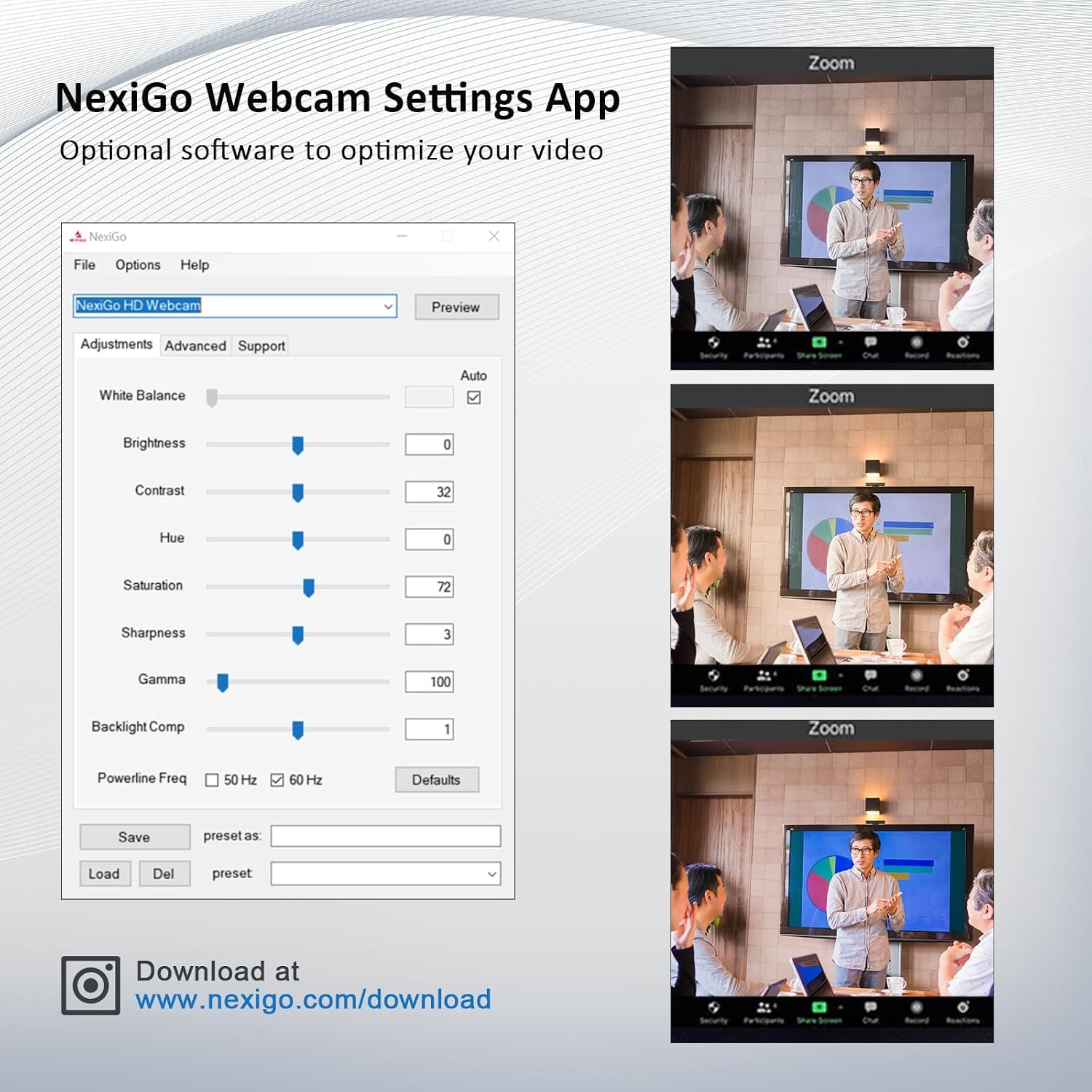
No. It works over USB as a standard camera device, so you plug it in and select it in your app's video settings.

Which operating systems does it support?

The maker states Windows XP/7/8/10/11, Mac OS 10.6 or higher, Linux 2.6.24 or higher, Chrome OS 29.0.1547 or higher and Ubuntu 10.04 or higher.

What sort of USB port does it use?

It connects through a USB-A port. If your laptop only has USB-C, a simple USB-C to USB-A adapter or hub will handle it.

Does it have a microphone?

Yes, there is a built-in microphone with noise-canceling technology that reduces steady ambient sound. For most meetings and classes it is enough on its own, though a dedicated mic will always sound fuller.

How wide is the field of view?

The lens covers 65 degrees. That frames one person at a desk comfortably without pulling in a lot of the room behind you.

Can it fit two people in frame?

Two people sitting close together can fit if you move the camera back a little, but 65 degrees is a fairly tight frame. For a group around a table, a wider camera is the better fit.

How does the autofocus behave?

It adjusts automatically as your distance from the lens changes, so leaning in to read a document or sitting back does not leave you soft.

Does it have optical zoom?

No. The lens type is given as prime and the zoom as digital, which crops into the image rather than magnifying optically.

Is there image stabilization?

The maker gives the image stabilization type as digital. Since the camera normally sits clipped to a monitor or on a tripod, it rarely needs to do much work.

How does the privacy cover work?

A small cover built into the housing slides across the lens. Closing it is a physical block, which is simpler and more reassuring than relying on software alone.

Can I mount it on a tripod?

Yes, the maker states 1/4 inch tripod support, and the photos show the threaded socket on the clip. It fits standard tripods and mounts with that thread. That is handy for overhead shots of a desk, a workbench, or craft work.

Will the clip fit my monitor?

The photos show the hinged clip sitting on top of a monitor. Very thick older monitors or screens with an unusual lip may work better with the tripod thread and a small stand.

How big and heavy is it?

The unit measures 2.36 x 1.78 x 3.43 inches and weighs 0.23 kg. That is small enough to drop into a laptop bag pocket.

Is this a good webcam for streaming?

It covers the basics that matter for a solo stream, which are a sharp 1080p picture, a smooth 60fps frame rate and controllable lighting. Many people looking for the best 1080p webcam for streaming start exactly here before spending more.

Does it work for online teaching?

Yes. The autofocus holds you sharp as you move between the screen and your notes, and the fill light helps in classrooms or home rooms with uneven lighting.

Is it suitable for a dark home office?

That is its main strength. If you have been hunting for the best webcam for low light rooms, the combination of a built-in light and automatic exposure removes most of the guesswork.

Can I use it with a phone or tablet?

Compatible devices listed include personal computers, laptops, smartphones and tablets. On mobile you will usually need the right USB adapter and an app that accepts an external camera.

Does it record to a memory card?

No. It is a USB webcam, so video and stills are captured and saved by the software on your computer, not by the camera itself.

What file formats does it produce?

Video streams as YUY2 or MJPG, recordings are commonly saved as MP4, and stills come out as JPEG. Audio formats listed are MP3, WAV and AAC.

How should I clean the lens?

Use a dry microfiber cloth with light pressure. Avoid sprays, solvents and compressed air, since all three can damage coatings or force dust inside.

Is it water resistant?

No, it is not water resistant. Keep it away from sinks, drinks and damp outdoor conditions.

How long does delivery take?

Most orders arrive within 3 to 8 business days of the order date, so allow for that if you need it by a set date. Delivery is to US addresses only, free on orders of $150 or more and a flat $20 under that, and you get tracking by email once the order is on its way.

Would this make a good gift?

It suits anyone who works, teaches or streams from home and has been putting up with a laptop camera. It arrives ready to use, so there is no setup chore for the person opening it.

What if it is not right for me?

You can return it within 14 days of delivery in resaleable condition with the cable and manual included, and the buyer pays return shipping. Get in touch first and we will send return instructions and sort out the refund once it arrives back.

How to Choose a 1080p Webcam With a Built-In Light

6 min read Camera Company

The real problem is not your camera, it is your room

Most people blame the webcam when they look bad on a call. Usually the camera is only half the story. Point any small sensor at a face lit by a ceiling light and a bright window behind it, and the picture goes gray, grainy and soft. The camera is doing exactly what it was built to do. It just does not have enough light to work with.

That is why a webcam with a ring light solves more complaints than a sharper lens alone would. You are not just adding pixels. You are giving the sensor something to see. Once the face is lit properly, the autofocus locks faster, the noise in the shadows drops away, and the colors stop looking washed out. The difference between a bad call and a good one is often one small lamp's worth of light in the right place.

How this webcam goes about it

The design puts a ring of light around the lens. That position matters. Light coming from the same direction as the camera fills in the shadows under your eyes and chin instead of carving new ones. A desk lamp off to one side can look dramatic, which is fine for a photo and less fine for a Monday meeting.

Control is by touch. One touch cycles through three light modes. Touch and hold, and the brightness slides smoothly through its range rather than jumping between fixed steps. In practice you set it once for your usual desk and leave it, nudging it brighter on dark afternoons.

Behind the light sits a 1/2.9 inch CMOS sensor with a prime lens covering 65 degrees. It records 1920 x 1080 at up to 60 frames per second. The autofocus is the second thing you notice after the light. Lean in to read something off the screen and the picture stays sharp, which is a small thing until you have used a camera that cannot do it.

Audio comes from a built-in microphone with noise-canceling technology, which pulls down the steady hum of a fan or an air conditioner so your voice sits in front of it. Connection is USB with no driver install, and the supported list runs across Windows, Mac, Linux, Chrome OS and Ubuntu.

Who it suits

If you spend a chunk of your week on video calls from a room that is not professionally lit, this is squarely aimed at you. Home offices in older buildings, spare rooms with one window, basements, apartments where the desk ends up against an interior wall, these are all places where the built-in light earns its keep daily.

It also makes sense for people who teach or present online. The autofocus handles the constant shift between looking at the camera and glancing at notes. The 65 degree frame is tight enough that your room does not become part of the lesson.

Streamers and anyone recording short video will care most about the 60 frames per second. Hand movement, gestures, demonstrating a tool or a technique, all of that reads smoother at 60fps than at 30. If you have been comparing options for the best 60fps webcam for gaming, frame rate plus controllable light is the pairing that actually changes what viewers see.

Who it suits less well is the group call around a conference table. At 65 degrees the frame is built for one person. A room camera needs a much wider lens.

How to choose between webcams

Start with light, not resolution. Almost every modern webcam claims 1080p, and most of them deliver something acceptable in a bright room. The difference shows up at four in the afternoon in winter. A camera with its own light, or a desk you are willing to light separately, will beat a higher-spec camera sitting in the dark every single time.

Then look at frame rate. Thirty frames per second is fine for talking heads. Sixty is noticeably better if there is motion, and it costs you nothing in daily use. Just know that many meeting platforms cap what they transmit, so the full 60fps usually shows up in recordings and streams rather than in a video call.

Check the focus type next. Fixed-focus cameras are cheaper and perfectly usable if you always sit at the same distance. Autofocus pays off the moment you hold something up to the lens or move around. This one is autofocus, which is the more forgiving choice.

Field of view deserves a thought. Wider is not automatically better. A 90 or 110 degree lens pulls in your whole room, which means your whole room needs to be tidy. At 65 degrees you get a clean head-and-shoulders frame with less behind you.

Finally, think about mounting and privacy. A clip is fine for a monitor. A 1/4 inch tripod thread, which this camera has, opens up a desk arm, a small tripod, or an overhead rig for showing your hands at work. And a physical sliding cover over the lens is simply more reassuring than trusting a software indicator light.

Setting it up well

Put the camera at or slightly above eye level. Below eye level is the single most common mistake, and it is unflattering on everyone. If your monitor sits low, raise it or put the webcam on a small tripod.

Deal with the window before you touch the light. A bright window behind you will fight any fill light. Turn your desk so the window is in front of you or off to the side, and the camera has a much easier job.

Then set the fill light to the lowest level that makes your face look even. People tend to crank it too high on day one. Start low and come up a little. The goal is to remove shadows, not to look like you are standing under a floodlight.

Position the microphone by positioning yourself. A built-in mic is at its best when you sit a normal arm's length from the screen. Shouting from across the room, or sitting so close you are breathing on it, both make the noise-canceling work harder than it needs to.

If you record rather than just meet, open your software's camera settings and confirm it is set to 1920 x 1080 at 60fps. Some apps default to a lower setting to save bandwidth and never tell you.

Looking after it

There is not much to it. Wipe the lens with a dry microfiber cloth when it gets dusty, using light pressure. Skip the sprays, the solvents and the compressed air, since all three can do more harm than the dust ever would.

Close the privacy cover at the end of the day. It keeps dust off the glass as well as doing its main job.

Unplug by gripping the connector rather than yanking the cable, which is how most USB devices eventually die. The unit is not water resistant, so keep it clear of drinks and damp spaces. At 0.23 kg it travels fine in a bag, though giving it a padded pocket rather than loose space with your keys is worth the small effort.

The short version

This is a Full HD webcam that solves lighting as well as sharpness. You get 1920 x 1080 at up to 60 frames per second, autofocus, a 65 degree frame, a built-in microphone with noise reduction, a sliding privacy cover and a 1/4 inch tripod thread, all over plug-and-play USB across Windows, Mac, Linux, Chrome OS and Ubuntu.

The ring light with three modes and stepless brightness is the reason to pick it over a plain camera. If your desk sits in a dim corner, or your calls run past sunset, that built-in light will do more for how you look on screen than another jump in resolution ever could. For one person at a desk, it is a sensible, uncomplicated upgrade.

Browse the shop

Still weighing it up?

Tell us about your desk, your room light and what you record, and we will say plainly whether this camera fits.

Ask us a question

Page summary

This is a compact USB webcam that records Full HD 1920 x 1080 video at up to 60 frames per second using a 1/2.9 inch CMOS sensor and a prime lens with a 65 degree field of view and autofocus. A built-in ring fill light offers three modes with stepless brightness adjustment by touch. A noise-canceling built-in microphone handles audio, and a sliding privacy cover closes over the lens. Mounting is by clip or 1/4 inch tripod thread. It connects over USB with no driver and supports Windows, Mac, Linux, Chrome OS and Ubuntu. Item size is 2.36 x 1.78 x 3.43 inches, weight 0.23 kg, color black. Brand and country of origin are not specified by the maker.