
The complete guide
Choosing a Solar Security Camera with 24/7 Recording
The problem with most outdoor cameras
Ask anyone who has tried to put a camera on the far corner of their property and you hear the same story. The best view is nowhere near an outlet. So either you pay someone to run power, you settle for a worse angle, or you buy a battery camera and then spend the next two years taking it down to charge it.
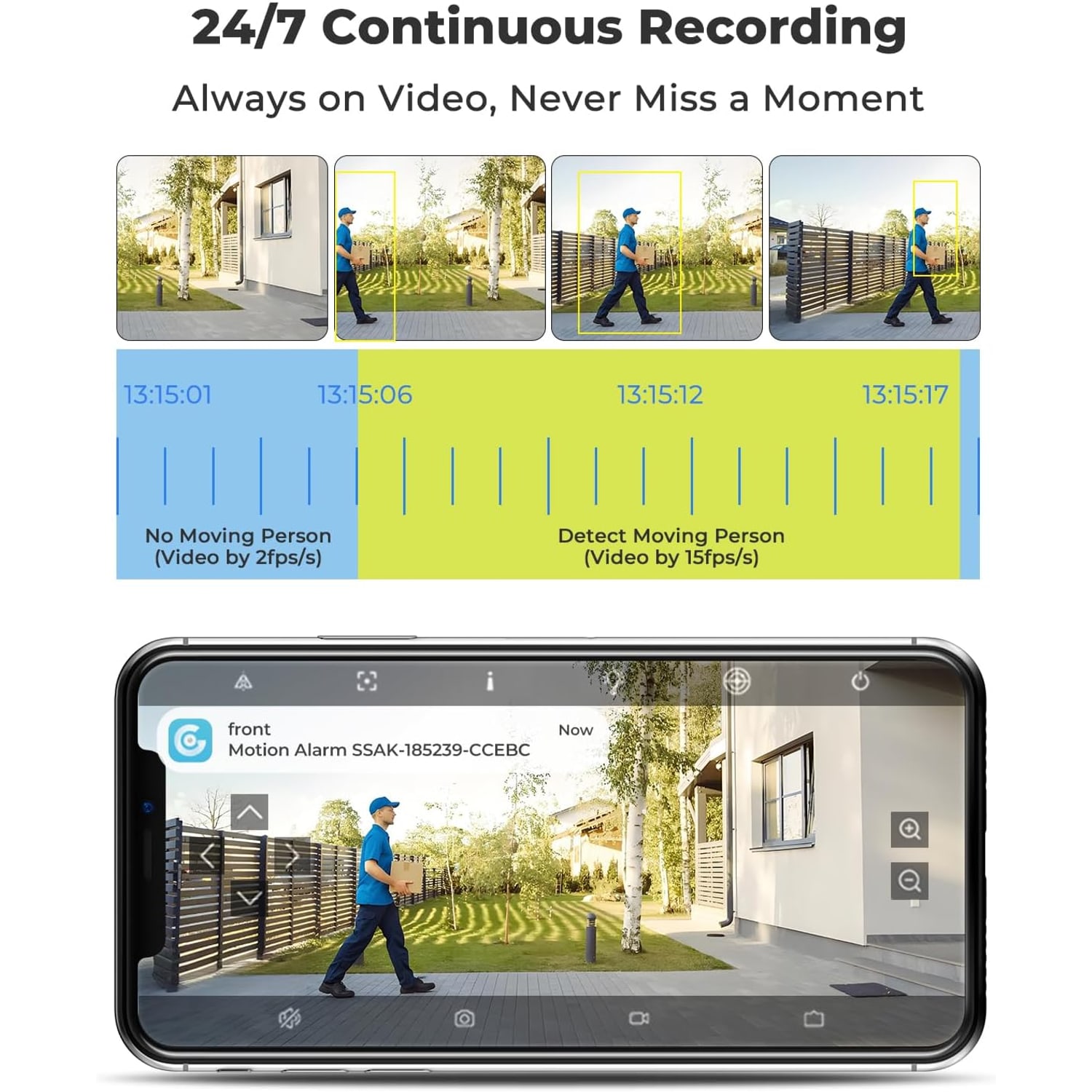
Then there is the second problem, which people notice later. A lot of battery cameras only record in short bursts when the motion sensor fires. That sounds efficient until you review footage and find the clip starts half a second after the person walked out of frame, or the sensor never tripped at all because it was cold and the subject moved across the beam instead of toward it. You end up with a folder full of clips of a cat and nothing of the night you actually care about.
A solar security camera with 24/7 recording addresses both. The panel handles power, so the camera goes where the view is. Continuous recording means the footage is there whether or not the sensor decided something was interesting.
How the solar and battery side works
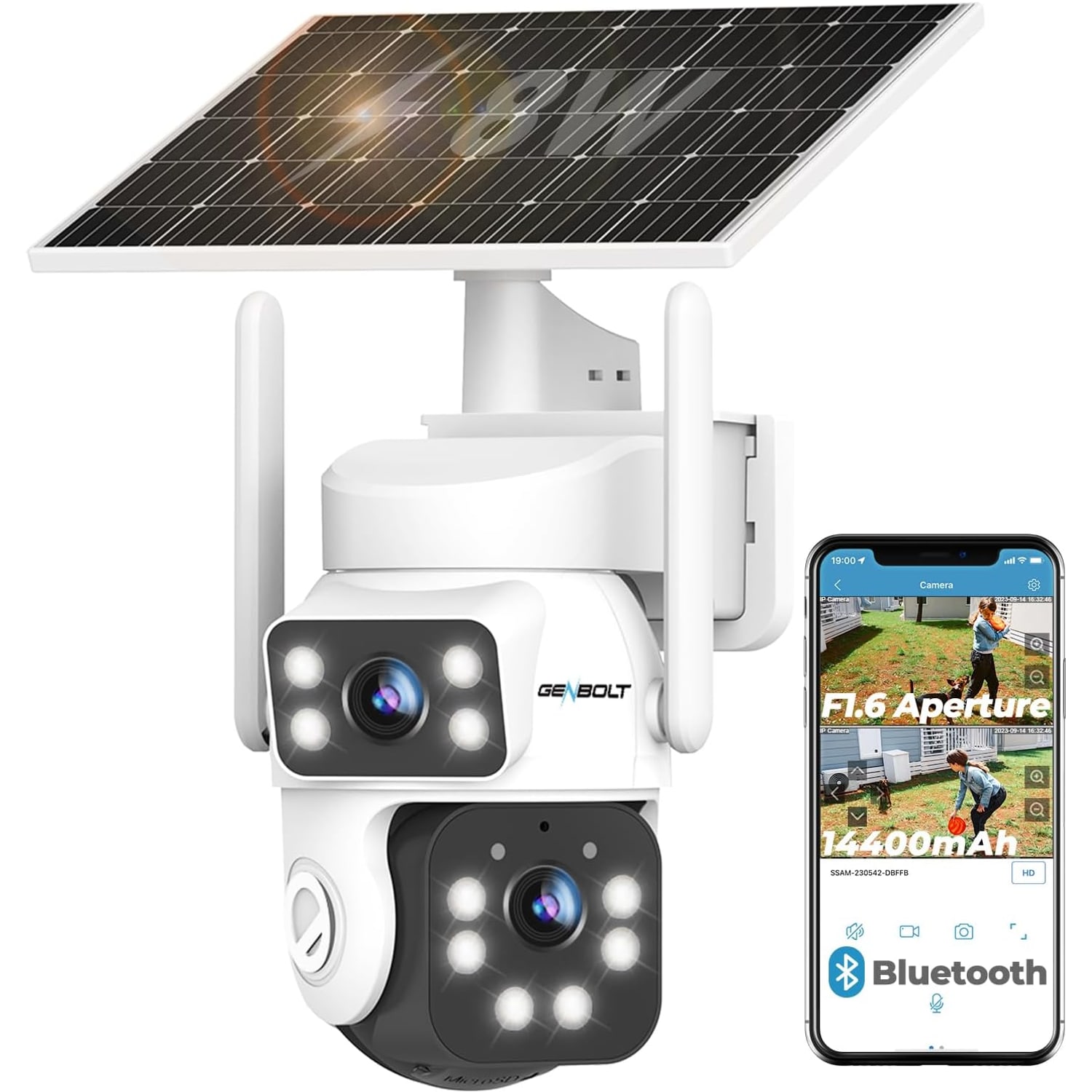
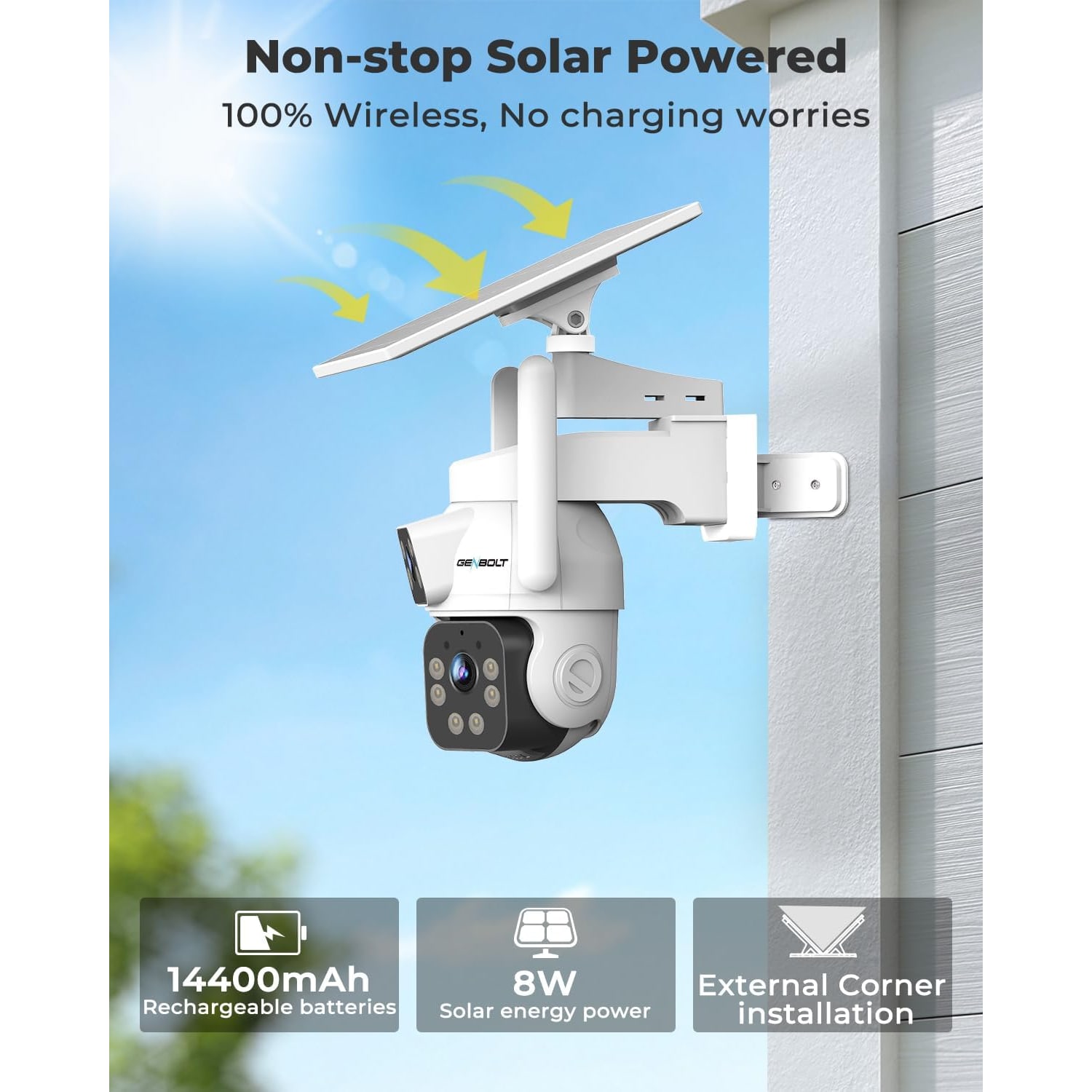
The panel that comes with this unit charges a 14400mAh battery. The maker marks the panel 8W and also lists a wattage of 3.5 watts. The battery is the buffer that carries the camera through the night and through bad weather, and the panel's job is to put back roughly what the camera spends each day.
That means position matters more than people expect. A panel in full sun for five or six hours behaves very differently from one tucked under a deep eave or shaded by a tree in July. Before you drill anything, stand at the proposed spot at a few points during the day and look at where the sun actually falls. South-facing walls generally do best in the United States. If the only good camera angle happens to be in shade, expect the panel to put back less than it would in full sun.
Continuous recording draws more power than event-only recording. If you find the battery slipping over a dark week, check that the panel is clean and not shaded. That is worth knowing about on day one rather than discovering it at 20 percent charge.
What the two lenses actually give you
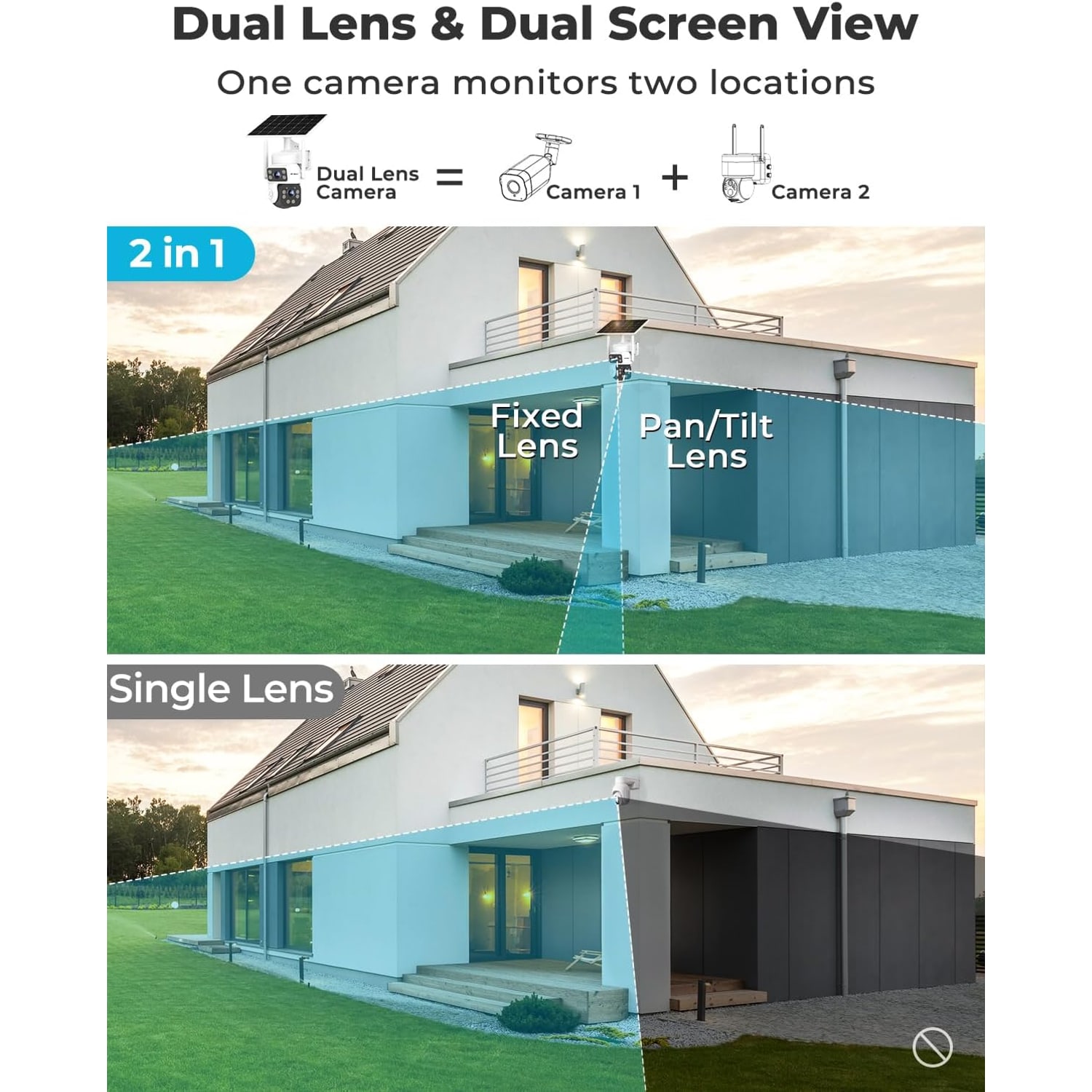
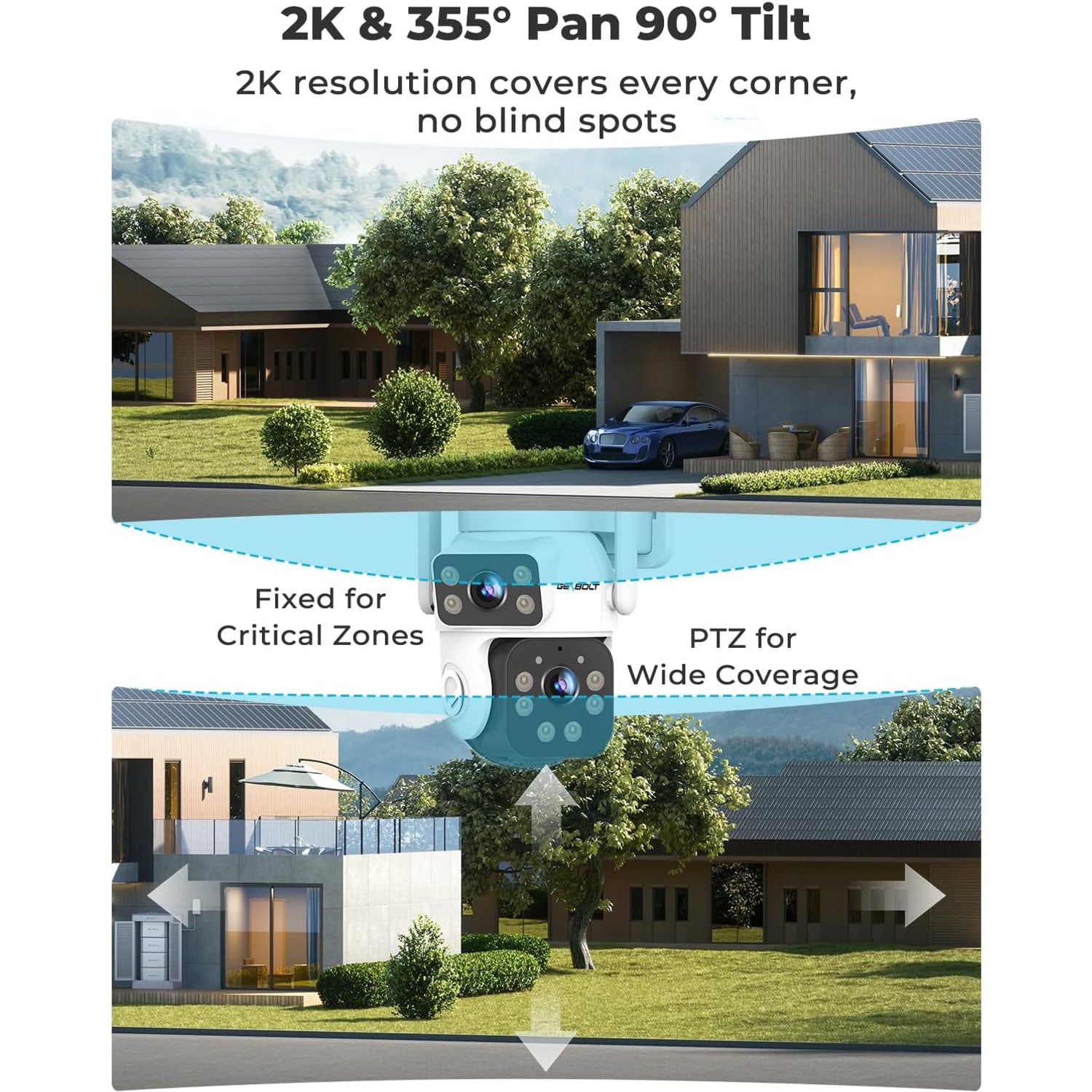
The dual lens setup is the feature that changes how you plan coverage. One lens is a fixed wide-angle. It does not move, so the wide shot is always the same frame and nothing wanders out of it. The second lens pans 355 degrees and tilts 90 degrees, and it can auto track a moving subject.
Put those together and one camera does something two single cameras cannot. When someone walks up the drive, the pan lens swings and follows them while the fixed lens still shows the street, the car and whatever else is going on in the wider scene. With two separate cameras you would get two views, but each would be blind to the other's area during the moment that mattered.
Both feeds show on one screen in the app. In practice that means you glance once rather than flicking between tiles.
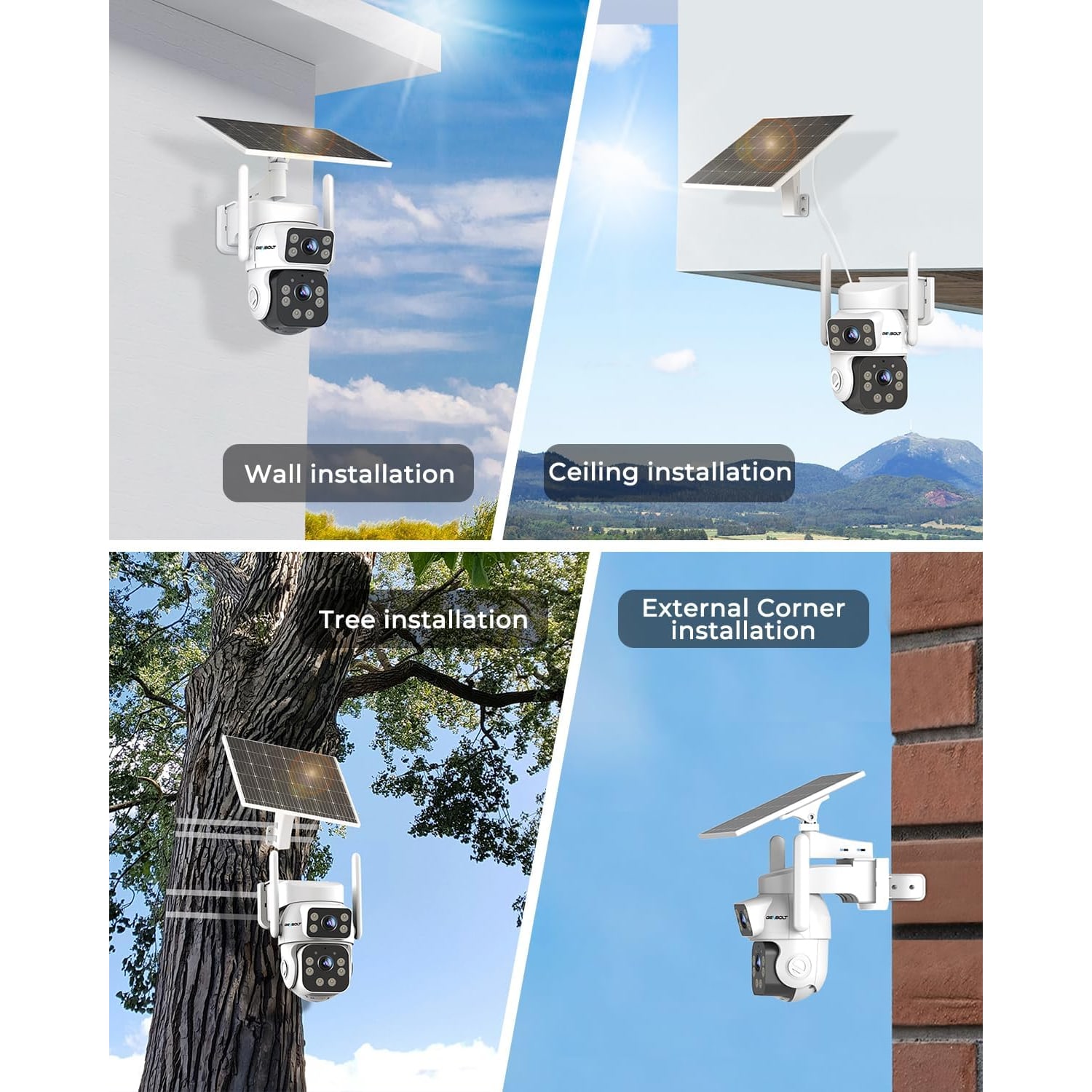
This is also why corner mounting gets recommended for this shape of camera. On a flat wall, the pan lens can only usefully sweep across the area in front of that wall. On an external building corner, the same sweep covers the front and the side. For a typical house, mounting at the front corner nearest the driveway often covers the drive, the front door approach and the side gate from one point.
Picture quality after dark
Daytime footage is 2K at 1440p, which is a meaningful step up from 1080p when you are trying to pick out a detail at distance. Stills come out at 3MP per lens.
The night side is where the differences between cameras show up. This one does color night vision using LED light rather than dropping to gray infrared, with four IR LEDs as well, and the stated night range is 90 feet. Color is genuinely useful. A gray image tells you a person in a jacket walked past. A color image tells you it was a red jacket, which is the kind of detail that matters if you ever need to describe what you saw.
Frame rate is 15 fps. That is a smooth enough record of someone walking or a car pulling in. It is not high-speed footage, so a very fast movement close to the lens may show some blur. For normal yard and driveway use it is fine.
Digital zoom goes to 4x. Remember that digital zoom crops rather than magnifies, so it works best as a way to look more closely at something already well framed. If you specifically need to read a license plate, mount closer to where the plate will be rather than relying on zoom from fifty feet.
Detection range and why 90 feet matters
A lot of battery cameras use passive infrared sensors, which detect body heat moving across their beam. These are cheap and power-friendly, but their range is short and they get unreliable in hot weather when the background temperature gets close to body temperature.
This camera uses AI human detection with a stated range of 90 feet. The practical benefit is timing. If someone is flagged as they cross the property line rather than as they reach the front step, you get extra time. That is the difference between answering the door prepared and being surprised.
Alerts are motion based. When you set up, spend a few minutes tuning the detection zone so passing traffic on the street does not light up your phone all evening. Almost everyone over-notifies at first and then dials it back.
Storage, and which option suits you
You have two routes. A microSD card up to 128GB slots into the camera and keeps everything local. Or you use cloud storage, which keeps footage off-site.
Local cards are simple and there is nothing ongoing to think about. The limitation is capacity. With continuous recording at 2K, a 128GB card holds a finite stretch before it loops and overwrites the oldest footage, so if you want weeks of history rather than days, local alone may not get you there. The card is not included, so order one at the same time as the camera if you want to record from the first night. Pick one rated for continuous video writing, since cards built for occasional photo use wear out quickly under constant recording.
Cloud storage sidesteps the capacity ceiling and means the footage survives even if someone takes the camera. You can run both, with the card as the working record and cloud for events.
Weather, mounting and upkeep
The housing is IP66 rated plastic, listed at 3.54 by 5.12 by 5.12 inches. IP66 means dust-tight and able to handle powerful water jets, which in real terms covers driving rain and a hose. You do not need an extra enclosure.
Height is worth thinking about. Eight to ten feet is a good range. Too low and it is easy to reach. Too high and you record the tops of heads instead of faces. Tilt it down toward the area you care about rather than leaving it level.
Upkeep is light but not zero. Every few weeks, wipe the solar panel and both lens covers with a soft damp cloth. Dust and pollen build up faster than you expect, and a dirty panel charges poorly while a dirty lens cover softens every frame. Skip solvents and scouring pads on the plastic. After a storm, check the screws are still snug. If a branch starts to shade the panel through summer, trim it.
Who this suits
It fits best where power is awkward and the area is wide. Detached garages. Back gates. Barns and workshops at the end of a yard. Rental properties where drilling for cable is not an option. Long driveways where the interesting thing happens well before the house.
It is less necessary if you have an outlet right where you want the camera and only one narrow area to watch. In that situation a simpler wired unit will do the job for less effort.
The short version
Solar power removes the cable, so you mount for the view instead of the wiring. Continuous recording means the footage exists whether or not a sensor fired. Two lenses let one unit hold a wide shot and follow movement at the same time, which usually means fewer cameras overall. 2K color night vision out to 90 feet keeps the detail useful after dark.
Check sun exposure and Wi-Fi signal at the spot before you drill, buy a decent 128GB card if you want local recording, and give the panel a wipe now and then. Do those three things and it mostly looks after itself.