
The complete guide
How to Choose a 4K Front and Rear Dash Cam
The thing nobody thinks about until it happens
You can drive for years without needing footage. Then somebody reverses into your bumper in a parking lot and drives off, or a car swerves into your lane and the story they tell the insurer is nothing like what you saw. In that moment the only thing that settles it is video with a time, a place and a readable plate.
That is the whole job of a dash cam. It records constantly, quietly, and almost all of what it records gets thrown away. The value sits in the handful of minutes you actually need, which is why the details matter more than the headline resolution number.
Why front and rear instead of front only
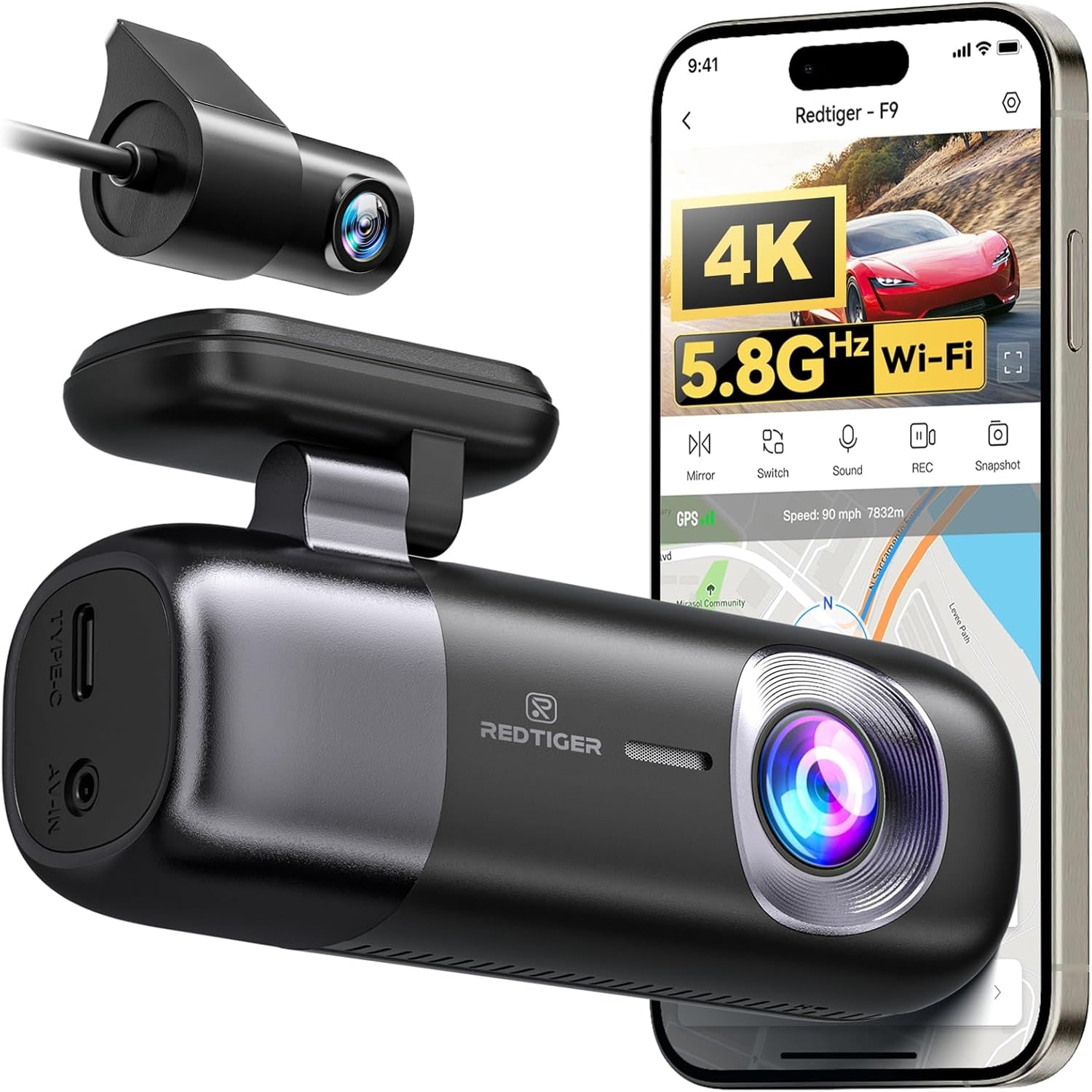
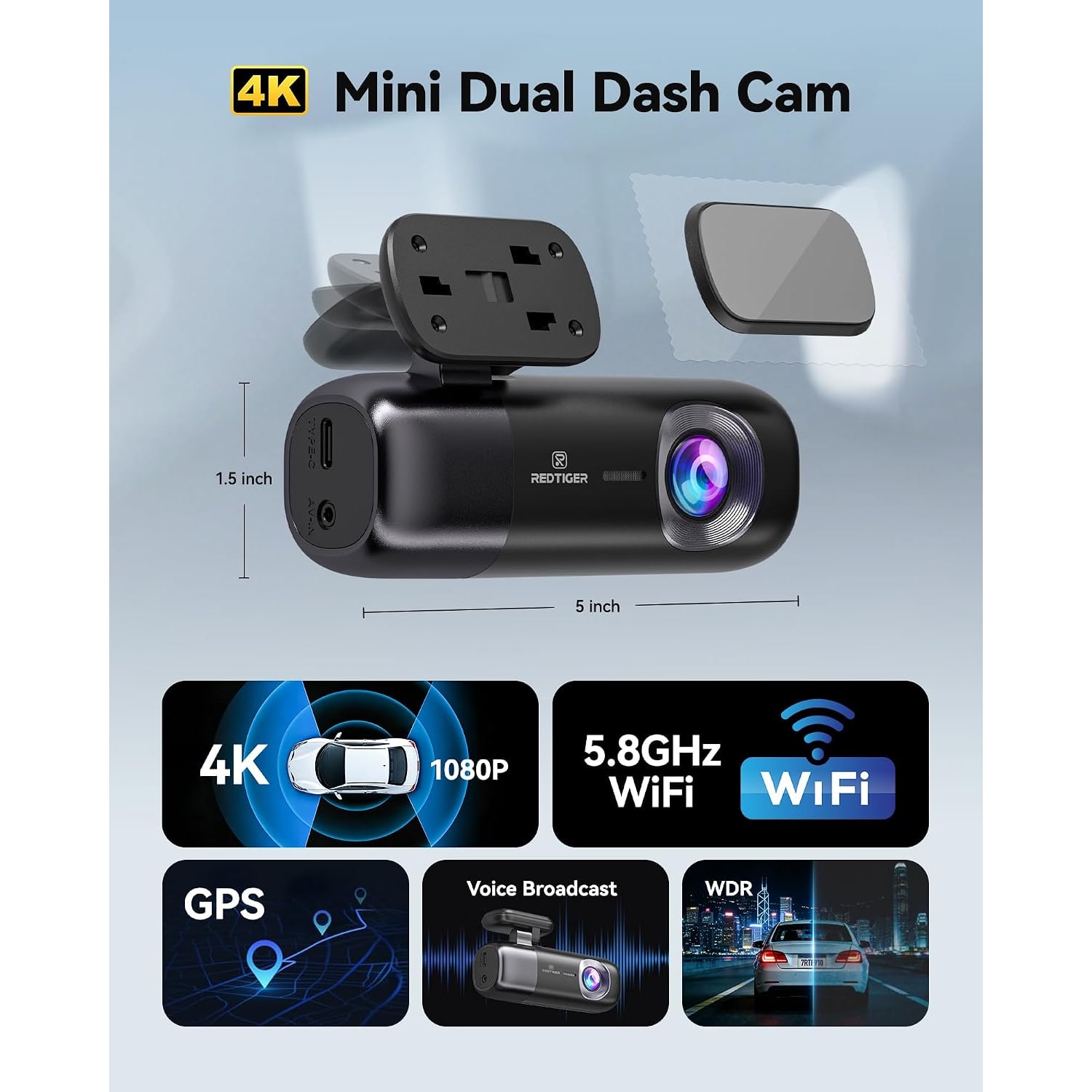
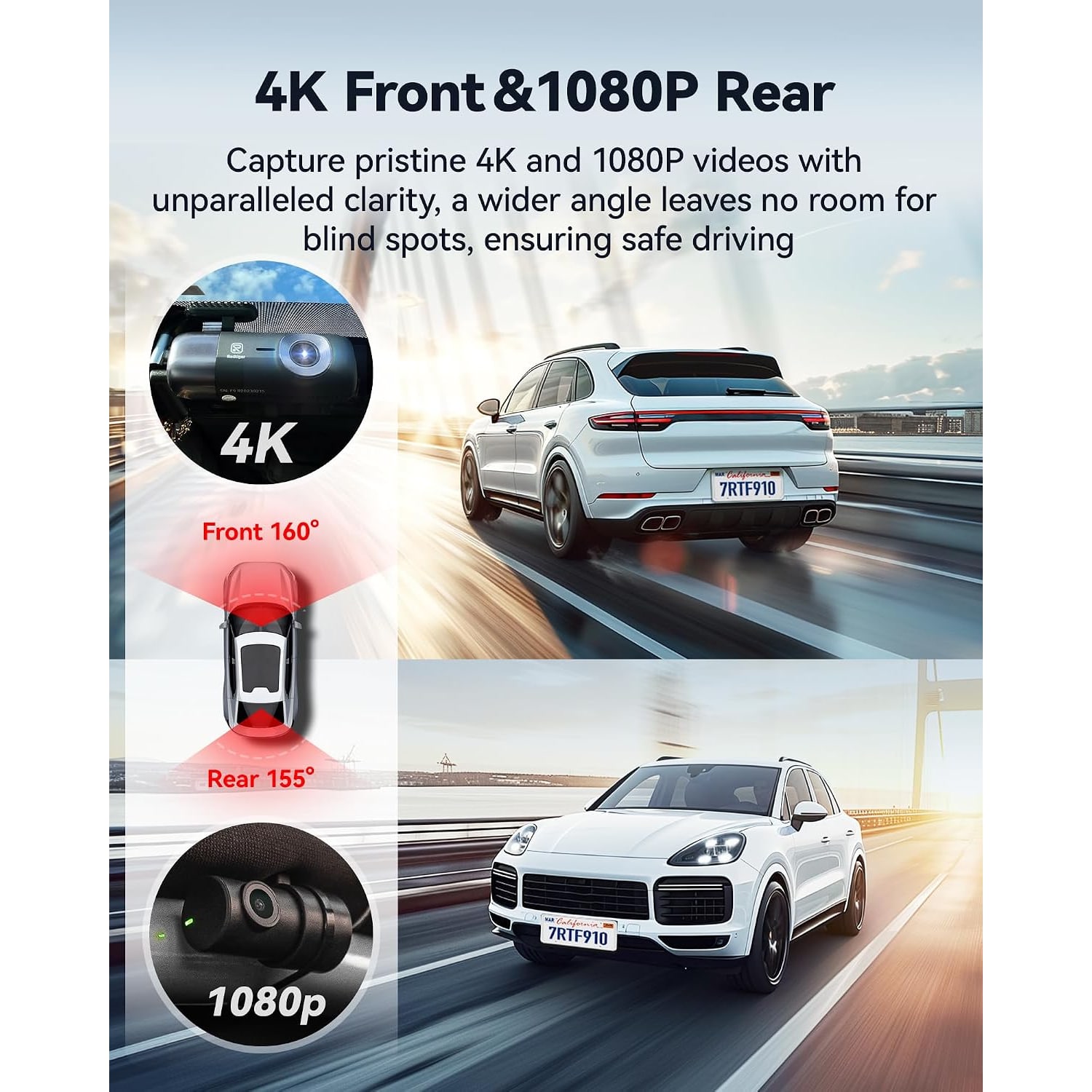
A single front camera covers the most common collision type, but it leaves the back of the car blind. Rear-end hits, tailgating, and parking lot scrapes all happen behind you. A dual system like this one puts a 4K camera on the windshield and a 1080p camera on the rear glass, both writing to the same card in the main unit.
The two resolutions are not an oversight. The front view is where you need to read plates at speed and pick out lane markings and signs, so it gets the 2160p sensor. The rear camera mostly records vehicles that are close behind you, where 1080p is plenty. Splitting it this way keeps file sizes manageable without giving up what matters.
What 4K buys you, and what it does not
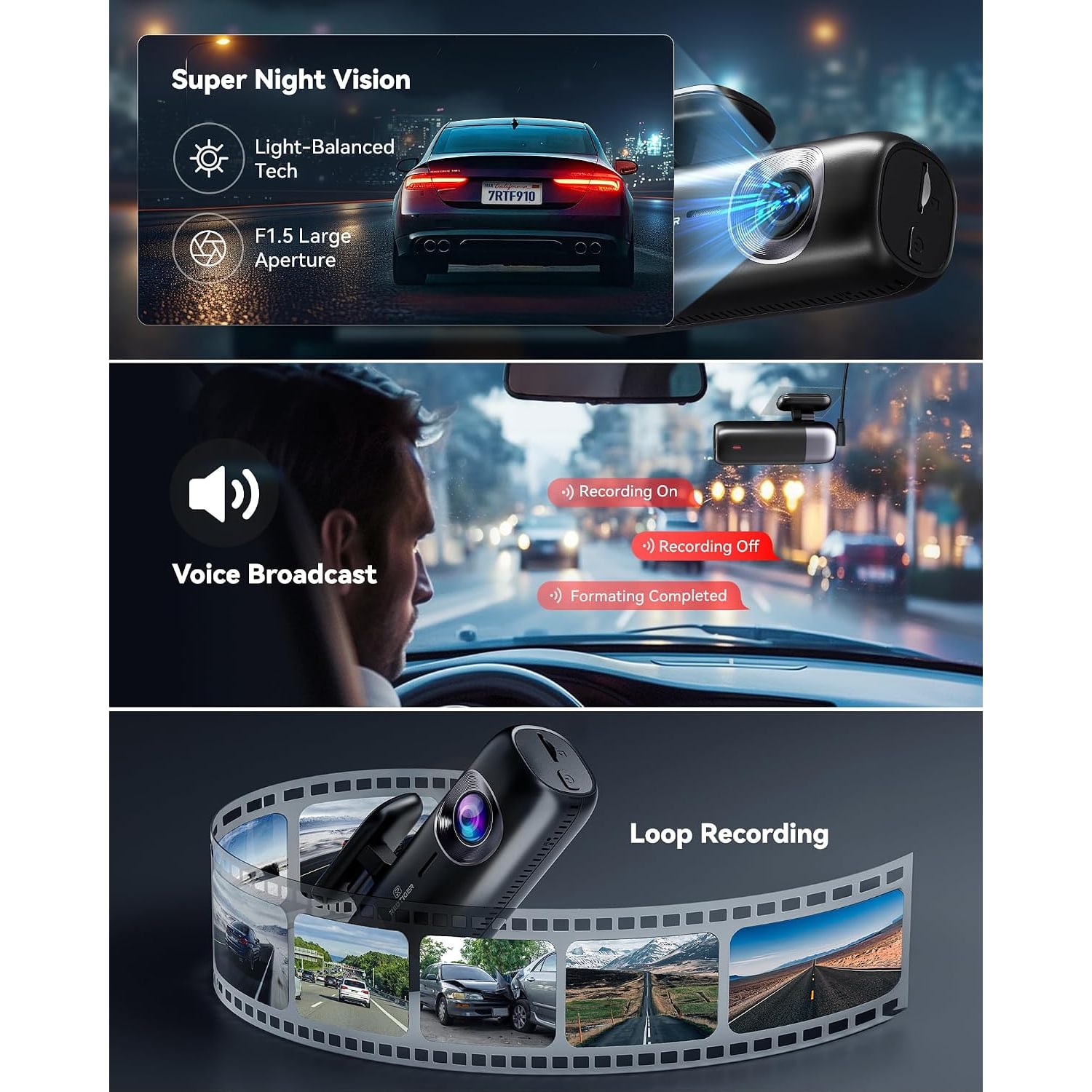
Resolution gets the marketing attention, but it only helps when the rest of the camera keeps up. A 4K sensor behind a slow lens in poor light produces a large file full of noise. That is why the aperture figure on this model, f1.5, is worth noting. A wider opening lets more light reach the sensor, so night footage holds detail rather than dissolving into grain.
The 170 degree field of view is the other half of the picture. Wide enough to catch a car coming in from the side, which is often the thing you need to prove. Very wide lenses do stretch objects near the edge of the frame, so the center of the shot is always where the most reliable detail lives. Aim the camera so the center sits just above the horizon when you fit it.
WDR, or wide dynamic range, handles scenes where bright and dark sit side by side. Coming out of a garage into sunlight, or facing oncoming headlights on an unlit road, a camera without it will either blow out the bright half or lose the dark half. WDR balances the exposure across the frame. For anyone hunting the best 4k dash cam, those three things together (aperture, field of view and dynamic range) tell you more than the pixel count alone.
Getting footage off the camera
This is the part people underestimate. If pulling a clip means taking the card out, finding a reader and sitting at a computer, you will put it off. Most of us would.
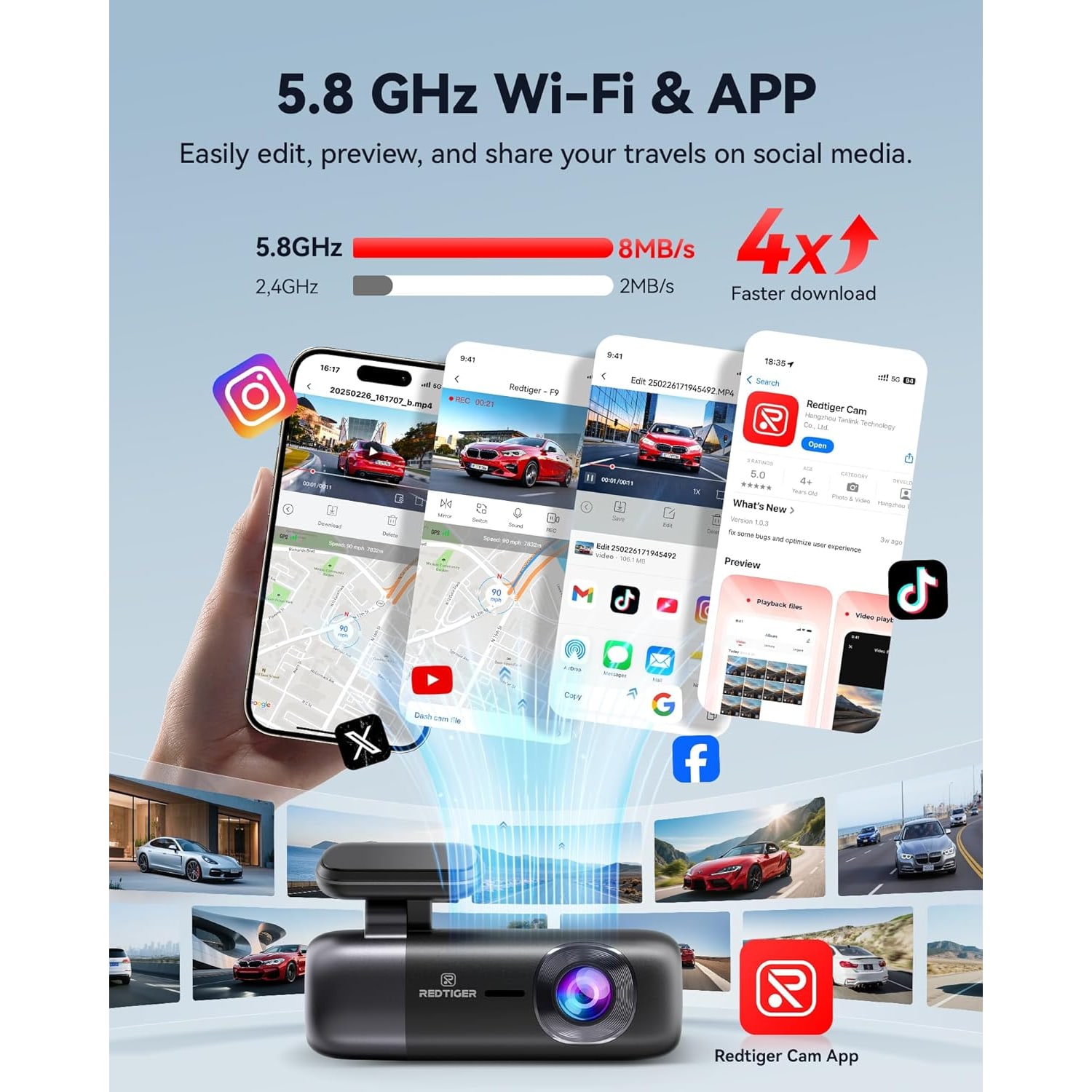
Built-in WiFi solves that. The camera makes its own network, your phone joins it, and the app shows live view, saved files and settings. You can find the clip, watch it, download it and send it on, all from the driver's seat. The 5.8GHz band is used here rather than the more common 2.4GHz, and the maker describes it as 4 times faster for wireless transfer. Pulling a minute of 4K video is noticeably less painful that way.
The maker highlights describe this version as having no screen, and the photos show a slim body without a display, so the app's live view is how you line up the frame on the glass during setup. After that, everything else runs through the phone too, which is the pattern with any good dual dash cam with app control.
GPS and why the data matters
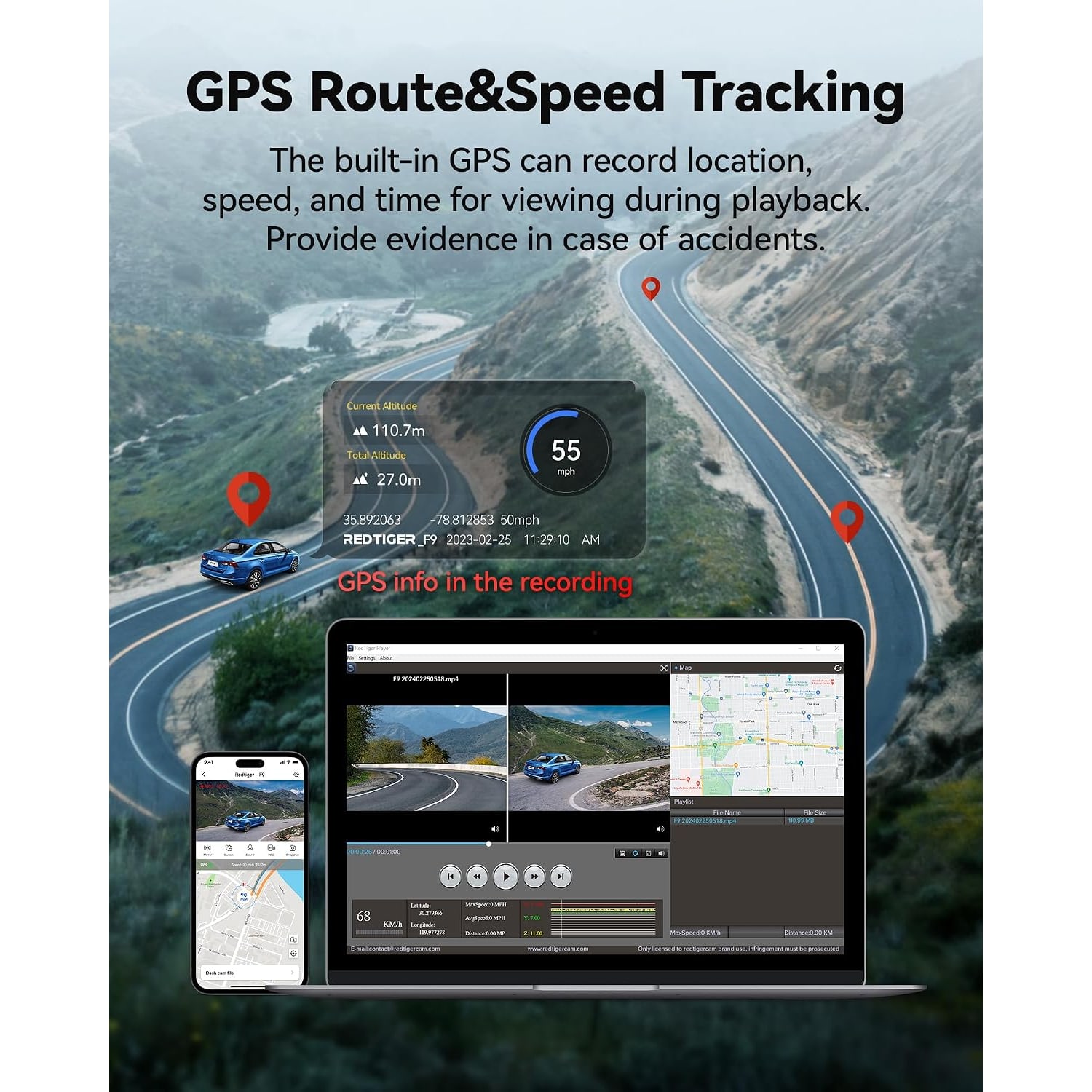
Video on its own answers what happened. Video with GPS answers where, when and how fast. This camera logs speed, time and coordinates with the footage, and the route can be viewed as a map in the app or the desktop player.
That combination is useful in a dispute because it is hard to argue with. It also helps with ordinary things, like proving you were nowhere near an incident, or working out exactly where a pothole wrecked a tire. If you would rather not display speed and location on the footage, there is a privacy mode that turns the overlay off.
Loop recording, locked files, and the memory card
Loop recording is what lets the camera run forever on one card. It records in short segments and, when the card fills, overwrites the oldest unprotected segment. You never clear it manually.
The catch is obvious: if the clip you need gets overwritten before you save it, it is gone. That is what the G-sensor is for. When it feels a sudden jolt, it locks the current segment so the loop skips over it. Those protected files stay until you delete them.
A card is not supplied, and the camera takes microSD cards up to 256GB. Use a Class 10 or U3 card. Slow or old cards are the single most common cause of dash cam problems, from dropped frames to recordings that stop without warning. Format the card in the camera when you first fit it, and again every few weeks. Cards wear out, so treat them as a consumable rather than a permanent part.
Parking mode and the hardwire kit
Parking monitoring is supported, but it needs a hardwire kit that is not included. The reason is simple. To watch the car with the engine off, the camera has to pull power from somewhere, and the 12V socket in most cars goes dead with the ignition. A hardwire kit taps the fuse box instead, usually with low-voltage protection so it will not flatten your battery.
If parking coverage is the main reason you are buying, budget for the kit and either fit it yourself or have a shop do it. If you mostly want evidence while driving, the supplied USB-C car charger is all you need and installation takes a few minutes.
Fitting it without a mess
The adhesive mount goes on the windshield, and two electrostatic stickers are supplied so the adhesive bonds to the sticker rather than the glass. That makes repositioning far less painful later. Clean the glass properly first, press firmly, and leave it to settle before hanging the camera on the mount.
Behind the mirror is the usual spot. It keeps the camera out of your sightline and keeps the lens in the area the wipers clear. The rear camera goes on the back glass with the 21.3 foot cable run along the headliner and down a pillar. Tuck the cable into the trim with a plastic tool rather than leaving it loose. A tidy run looks better and does not snag.
Give the rear camera a thought in vehicles with heavy window tint, since a dark rear window will cut what the camera sees at night. Mounting above the tint band, where there is one, usually helps.
Who this suits
Daily commuters who sit in traffic and want both ends of the car covered. Long-distance drivers who want GPS route data with the footage. Anyone driving a work vehicle, a minivan or a truck where a scrape in a lot is a routine hazard. People shopping for the best dash cam for trucks often look for a long rear cable, and 21.3 feet covers most of them.
It is less of a fit if you only ever drive short distances in a quiet area and you would never check the footage. In that case a simpler single-channel camera does the job.
The short version
A 4K front and rear dash cam is worth the money when the lens and processing match the sensor. Here that means an f1.5 aperture, a 170 degree view and WDR to handle tricky light. Add built-in GPS for speed and location data, app access over fast WiFi so you will actually use the footage, and a G-sensor that locks clips before the loop can erase them.
Buy a good Class 10 or U3 card up to 256GB, fit the camera behind the mirror, run the rear cable neatly, and add a hardwire kit if you want parking coverage. Then forget about it until the day you need it.