
The complete guide
How to Choose a 4K Dual Dash Cam with GPS
The thing nobody plans for
Almost nobody buys a dash cam on a good day. People buy one the week after something happened. A car drifts into your lane and the driver insists you were the one who moved. Somebody reverses into your bumper in a parking lot and leaves. You get rear-ended at a light, and the other driver's story changes between the roadside and the claim form.
In all of those situations the facts are simple and the evidence is nothing. That is the gap a dash cam fills. It records continuously while you drive, and when something goes wrong you play back the clip instead of arguing about who remembers what.
The reason to look at a front and rear dash cam rather than a single forward camera is that a lot of incidents happen behind you. A forward-only camera is pointed in the wrong direction for the most common type of collision in traffic. Dual channel fixes that.
What dual channel 4K actually means
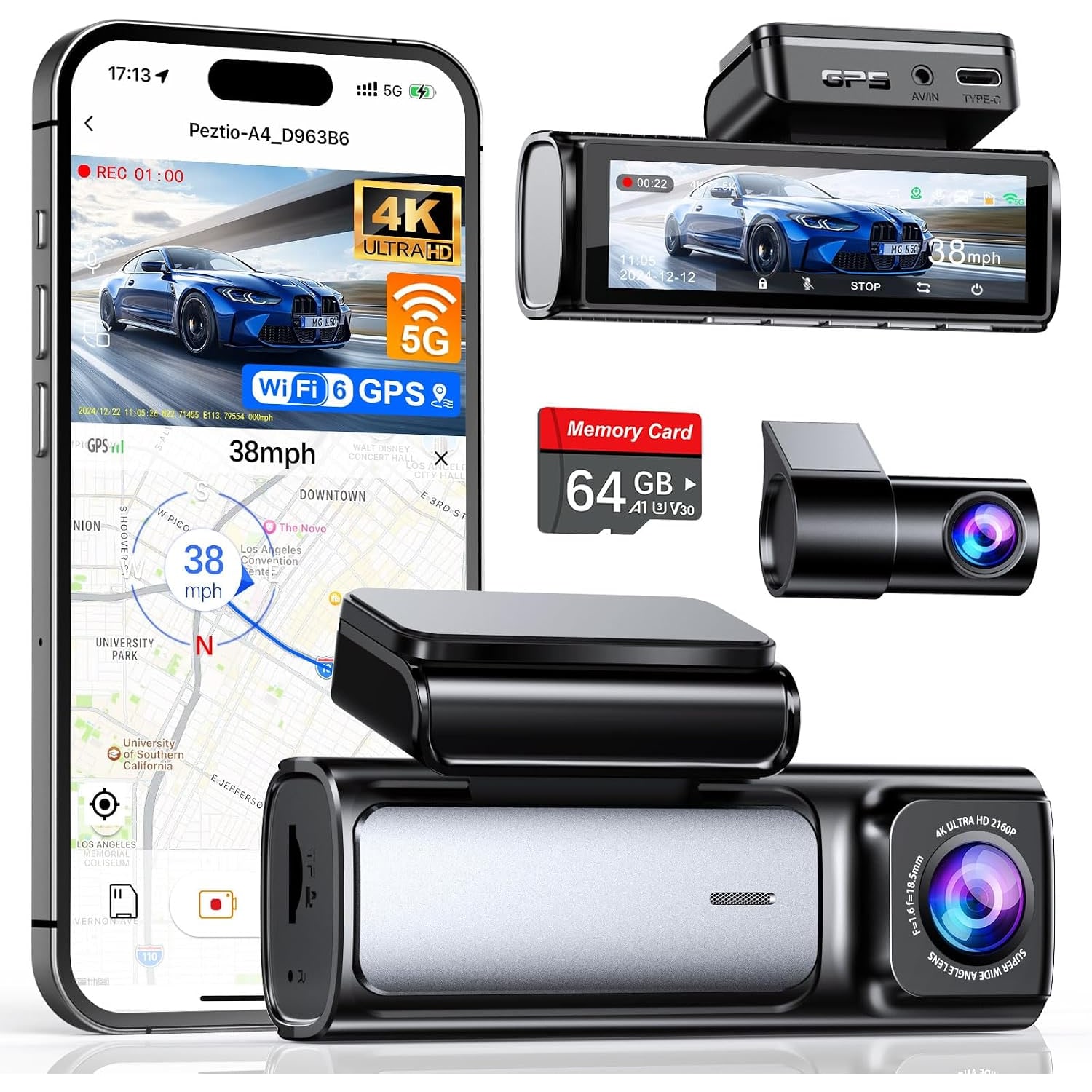
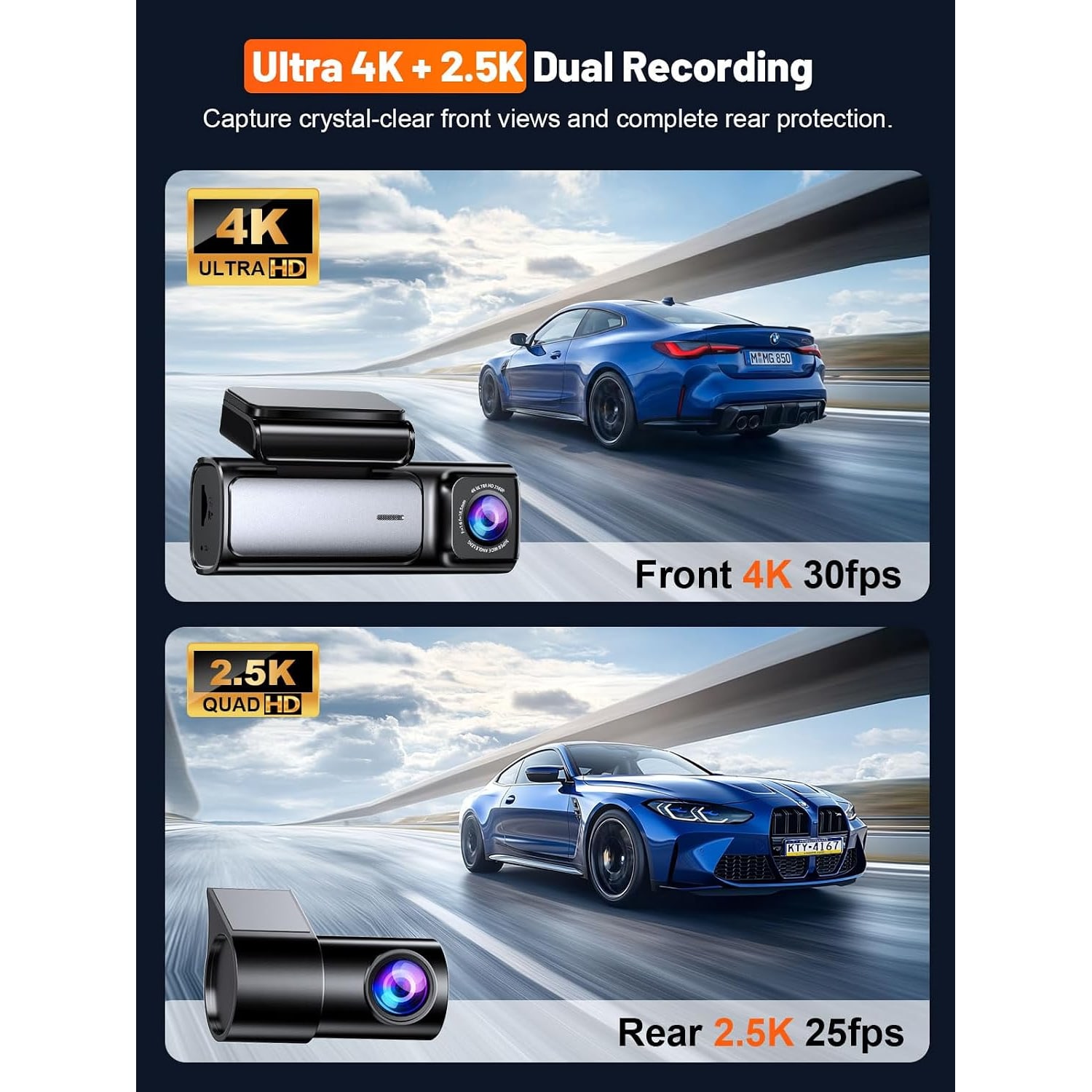
This camera records two streams at once. The front channel runs at 4K, 30 frames per second. The rear channel runs at 2.5K, 25 frames per second. Both write to the same microSD card.
Resolution matters less for seeing that a crash happened and more for reading detail when you pause. A plate at a distance, a street sign, the state of a traffic light. At 4K you have more pixels to work with when you freeze a frame and zoom in. At 1080p that same frame often turns to mush at the exact moment you need it.
The front lens has a 160 degree field of view. Wide angles keep the lanes on either side inside the frame. That matters when the other car never entered your lane properly but still made contact. The rear camera's 155 degree view does the same job behind you.
One thing worth understanding about wide lenses is that very wide views spread the same pixels across more scene. This is why pairing a wide angle with 4K is sensible. The resolution offsets the spread.
Why GPS changes the conversation
Video shows what happened. It does not show how fast you were going or exactly where you were. Those are usually the two points under dispute.
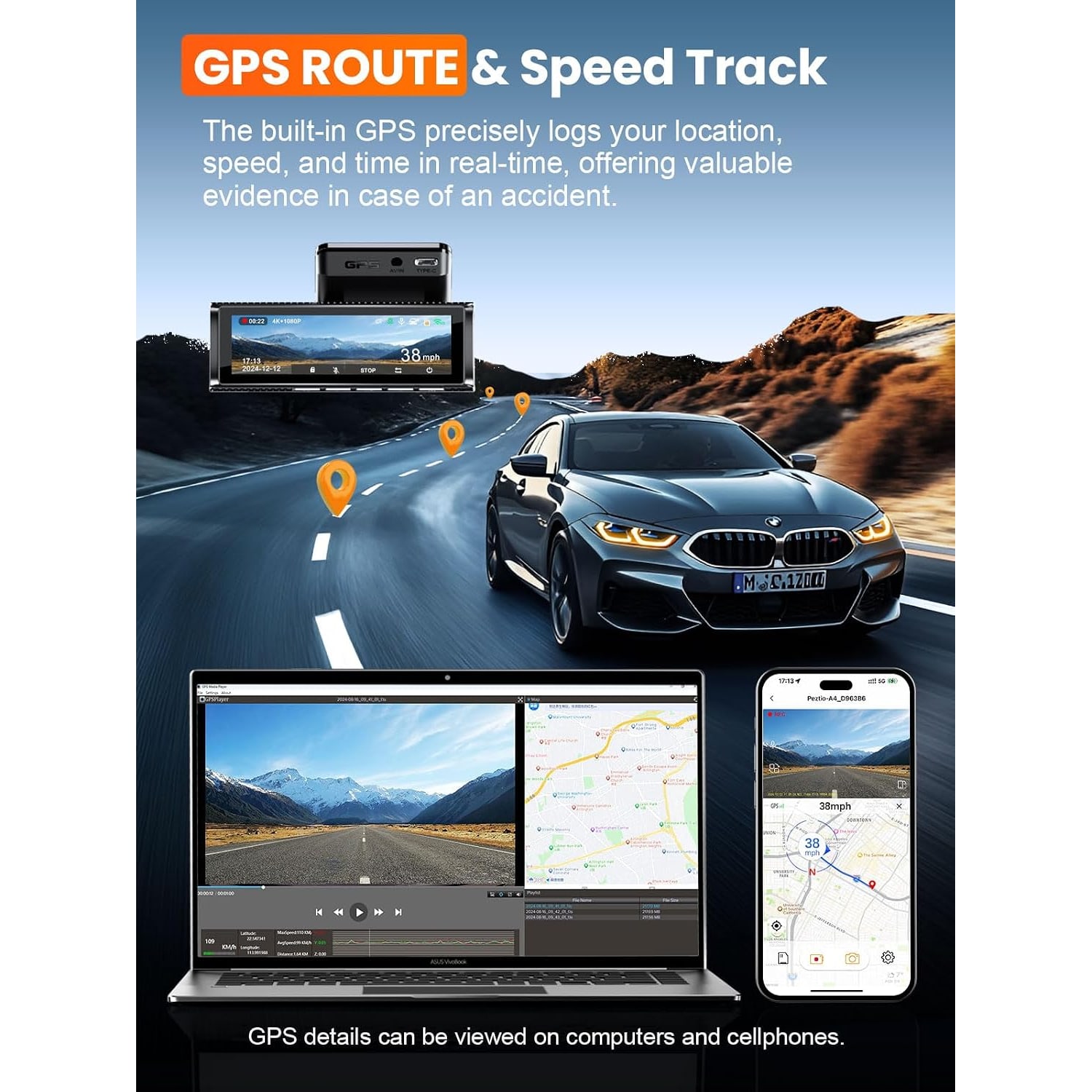
Built-in GPS logs speed, route and real-time coordinates along with the footage. When you review a clip, the location data travels with it. Instead of saying you were doing a reasonable speed, the file says what the speed was. That is a different kind of conversation.
Route playback also helps for less dramatic reasons. If you drive for work, log mileage, or simply want to retrace where you went on a long day, the GPS track gives you a timeline. People hunting for the best dash cam with gps tracking are often after this as much as the crash evidence.
Living with it day to day
A camera you have to manage is a camera you eventually unplug. This one is built to run itself.
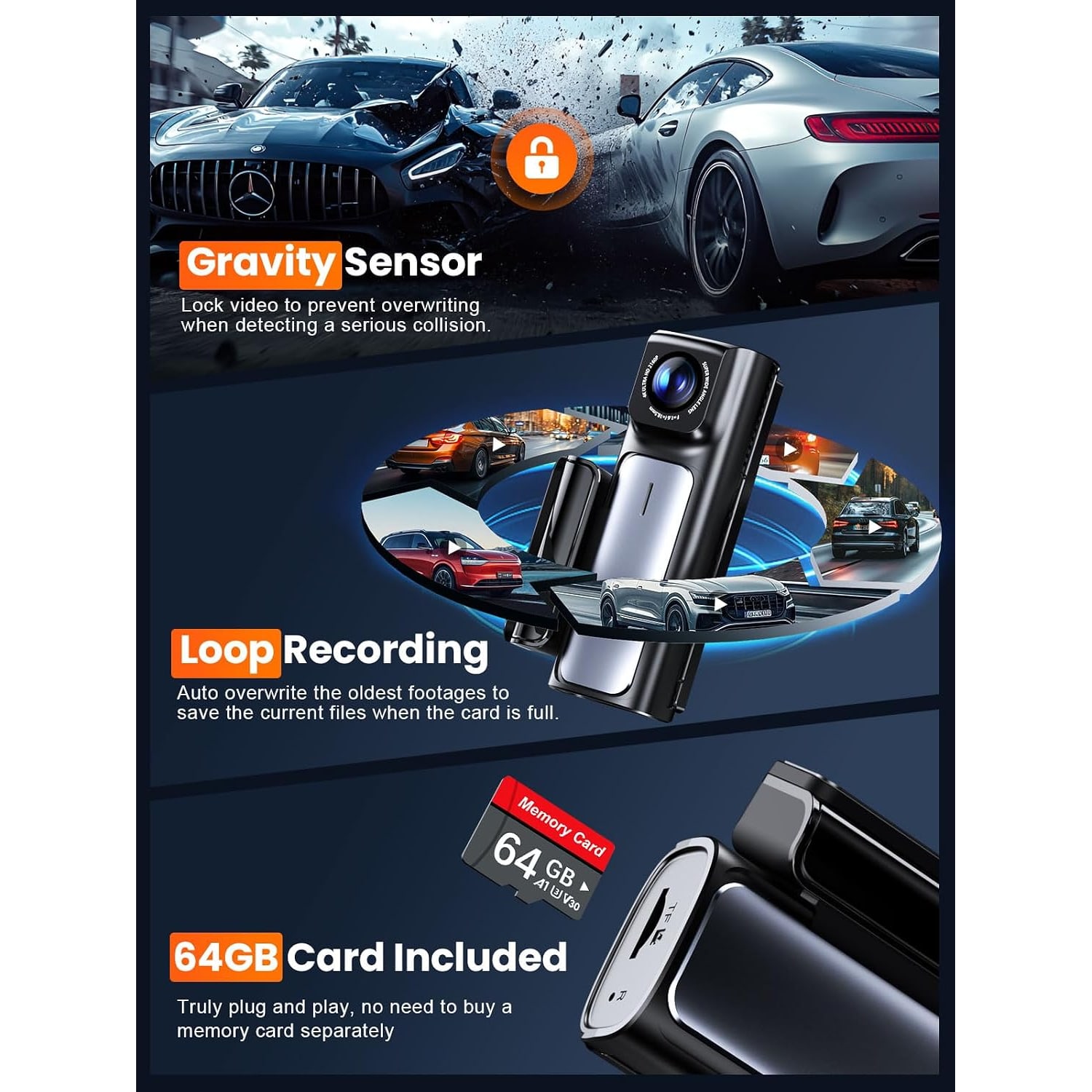
Loop recording means the card never fills up and stops. When the card gets near capacity, the oldest unprotected clips are written over. You do nothing.
The G-sensor is the exception to the loop. It is a 3-axis sensor that detects a serious collision. When it triggers, the current file is locked. The loop skips it. That clip stays until you deliberately remove it, which is exactly the behavior you want from a file you might need weeks later.
The 24 hour parking monitor covers the car when you are not in it. Parking lot damage is one of the most frustrating things that happens to a vehicle, because there is usually no witness and no note. A camera that keeps watching is the only practical answer. Note that parking modes generally need power that stays live with the ignition off, which usually means a hardwire kit rather than the 12 V socket.
The screen and the app
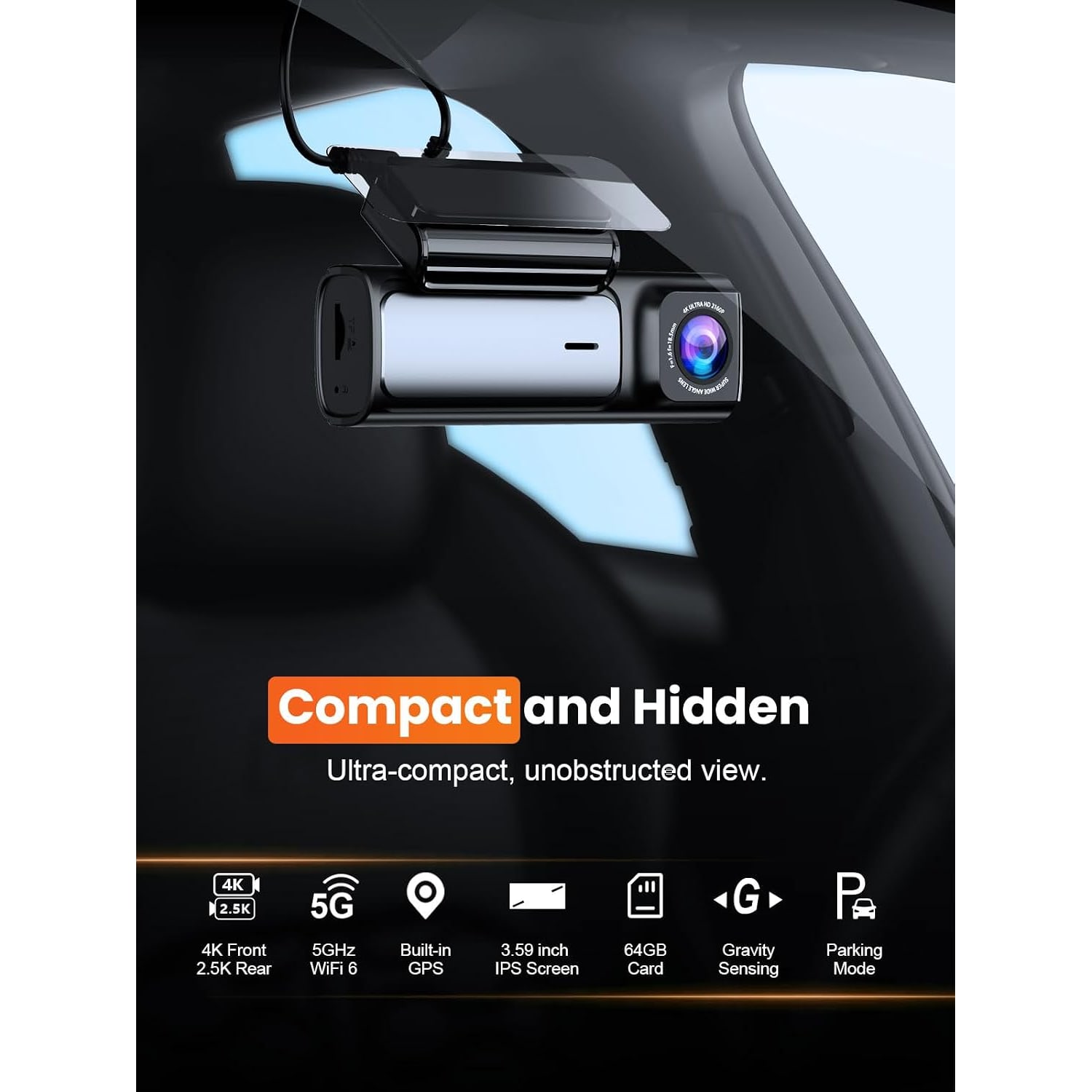
There is a 3.59 inch IPS screen on the unit. That is a useful size. It is big enough to line up both cameras properly during install, which is the step people rush and regret. It also lets you play back a clip right there in the car if you need to show somebody something.
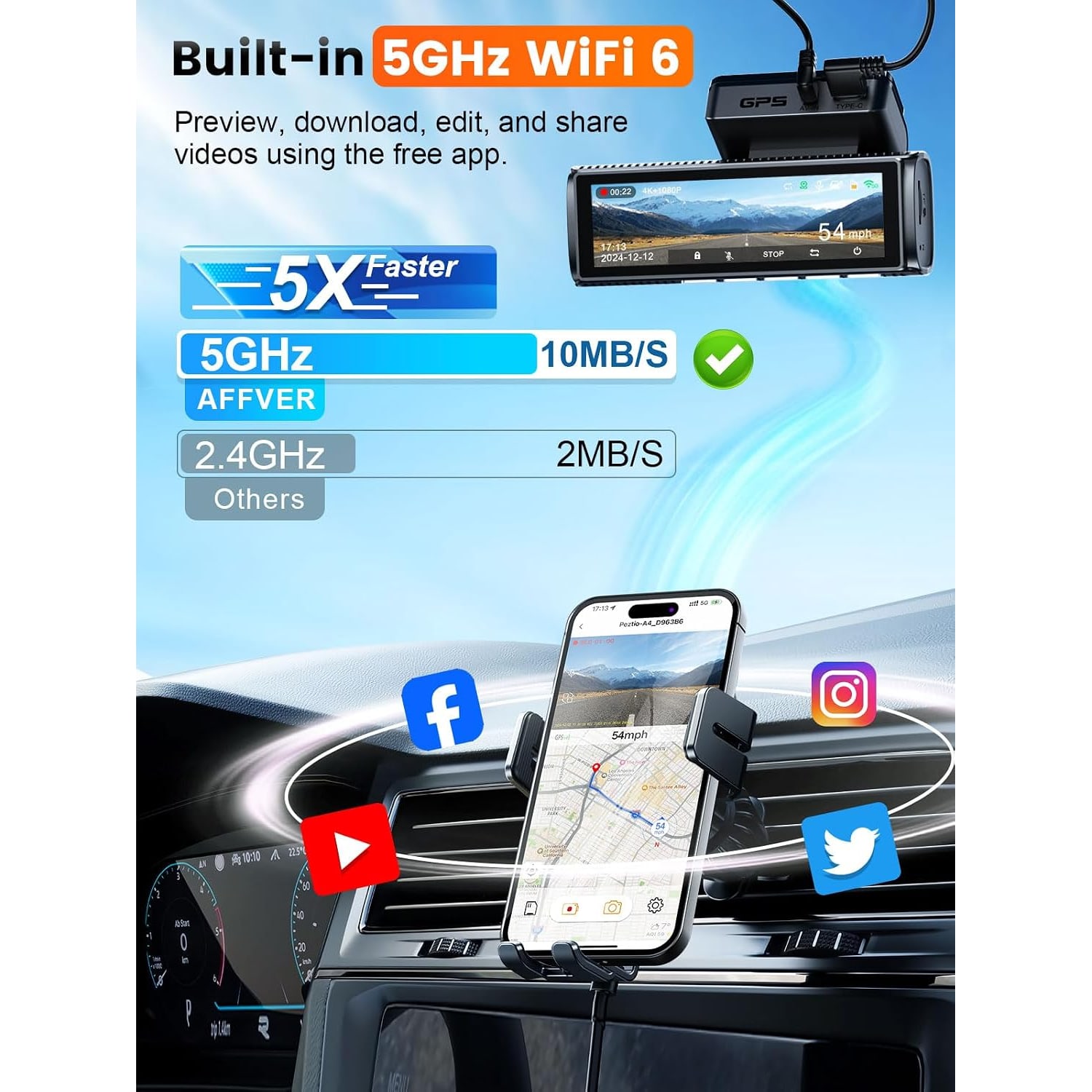
For anything beyond a quick look, the app is the better tool. The camera has Wi-Fi, and the app connects your phone to it directly. You browse the recordings, pick what you want and download it to your phone. No card reader, no laptop, no sitting in the driveway with a cable.
This matters more than it sounds. The moment you need footage is usually the moment you are standing on the side of a road with your phone in your hand. Being able to pull the clip then and there, and send it, is the whole point.
Night driving
Most incidents that require footage happen in poor light. Dawn, dusk, rain, night streets with uneven lighting.
The hardware factor that matters most here is aperture. This camera's front lens has a maximum aperture of f/1.5, which is a wide opening. A wider aperture lets more light reach the sensor, which means less noise and a cleaner image in the dark. If you are comparing models and want the best night vision dash cam you can get for the money, the aperture number is the first spec to check.
Two practical things also affect night footage. Keep the lens clean, and keep the inside of your windshield clean. A haze of film on the glass scatters every headlight into a starburst and will ruin otherwise good footage.
Installing it without a mess
Everything you need is in the box. There is an 11.5ft Type-C car charger, a trim tool, cable-hiding clips, adhesive pads and electrostatic films.
The electrostatic film is worth using. It goes on the glass first, and the mount sticks to the film instead of the glass. If you want to move the camera later, or take it out when you sell the car, you peel the film off cleanly.
For the cable, run it up into the headliner, along the edge, then down the A-pillar and into the footwell toward the power outlet. The trim tool is for tucking the cable behind the trim so none of it dangles. Work slowly and check behind the pillar trim for airbag components before you push anything in there.
The rear camera uses the included extending cable. The usual route is along the headliner to the rear window. Take your time with this part. A neat run takes about twenty extra minutes and makes the whole thing look factory-fitted.
Cards and storage
A 64GB microSD card is included, so you can record on day one. The camera accepts cards up to 256GB if you want a longer loop before footage gets overwritten.
Think about how much driving you do. Two channels at 4K and 2.5K eat storage quickly. A 64GB card is enough to get started. If you drive all day, or you want several days of history before anything is overwritten, a larger card is a sensible upgrade.
Format the card in the camera every few weeks. Dash cams write to a card constantly, and that constant writing is hard on the file system. A regular format keeps it healthy. If you start seeing failed recordings, replace the card rather than troubleshooting it.
A note on audio
The camera lists voice recording as a feature, and audio can typically be turned on or off in the menu. Audio can be useful because it captures what was said at the scene.
Recording audio and recording other people is covered by federal and state law, and the rules vary. If you carry passengers, or you drive across state lines, look up what applies to you and decide accordingly.
The short version
If you want a camera that covers both directions, records in enough detail to be useful when you pause the frame, and ties that footage to a speed and a location, this is that kind of setup. The front channel is 4K at 30fps, the rear is 2.5K at 25fps, GPS is built in, and the app means you can get a clip onto your phone without pulling the card.
The parts that make it easy to live with are the unglamorous ones. Loop recording so the card never fills. A G-sensor that saves the file you need. A 64GB card already in the box. A complete install kit so the first fit does not turn into a trip to the parts store.
Fit it once, check the framing on the screen, and then mostly forget about it. That is the right relationship to have with a dash cam.