Camera Company
Company
Shop By Category
T&Cs
Shop Online
  • The maker's specifications on every page
  • Free tracked USA-wide delivery over $150
  • 14-day returns

1080p Autofocus Webcam | Webcam with microphone | USB computer camera

AutoFocus 1080p Webcam with Stereo Microphone and Privacy Cover

$79.99 $95.99 Save $16
  • True Autofocus Lens
  • Noise-Canceling Mic
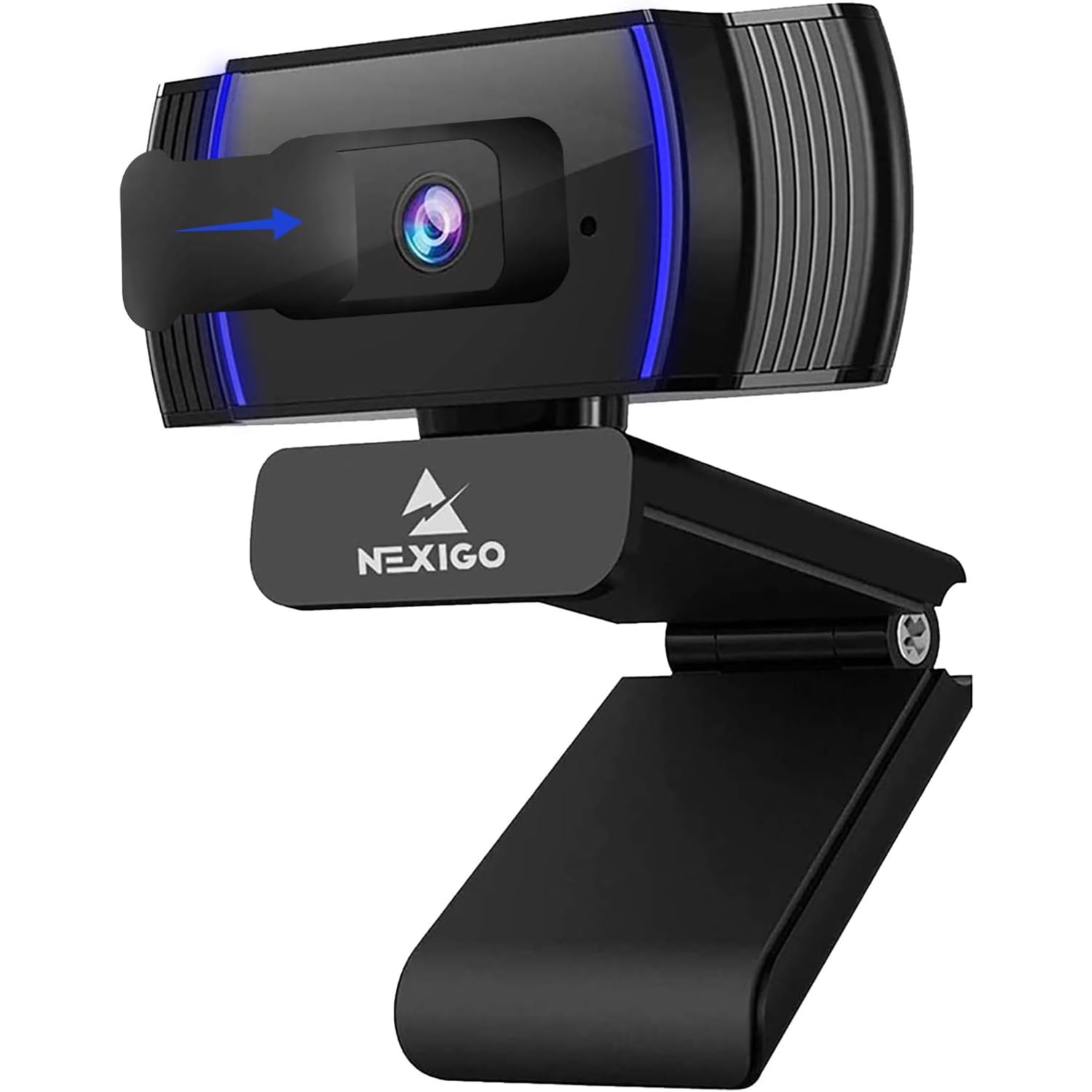
  • Sliding Privacy Cover
  • Plug And Play USB

Price: $79.99 $95.99

  • Free tracked USA-wide delivery on orders $150+, otherwise a flat $20
  • Pay by card or PayPal, handled by the payment provider
  • 14 days to change your mind, plus your statutory rights
Product specifications
Model NameAutoFocus 1080p Webcam with Stereo Microphone and Privacy Cover
Model NumberA229AF/N930AF
Video Resolution1080p Full HD
Frame Rate30 frames per second
Still Image Resolution2 MP
Sensor TypeCMOS
Focus TypeAutofocus (manual override available)
Autofocus Starting Point7 cm
Maximum Aperturef/2
Lens TypeWide angle
Viewing Angle47.5 degrees
Image Aspect Ratio16:9 (1.78:1)
Video Capture FormatMP4
Supported Image FormatJPEG
Supported Audio FormatsMP3, WAV, AAC
MicrophoneBuilt-in with noise cancellation
White BalanceAutomatic
Exposure ControlAutomatic
Shooting ModesAutomatic and manual
ZoomDigital
Special FeaturesAutofocus, low light correction, software support, plug and play
IncludedPrivacy cover
ColorBlack
ConnectivityUSB
Cable Length6.5 ft (2 m)
Form FactorCompact, folding
Item Weight0.19 kg
Compatible DevicesComputers, laptops, smartphones
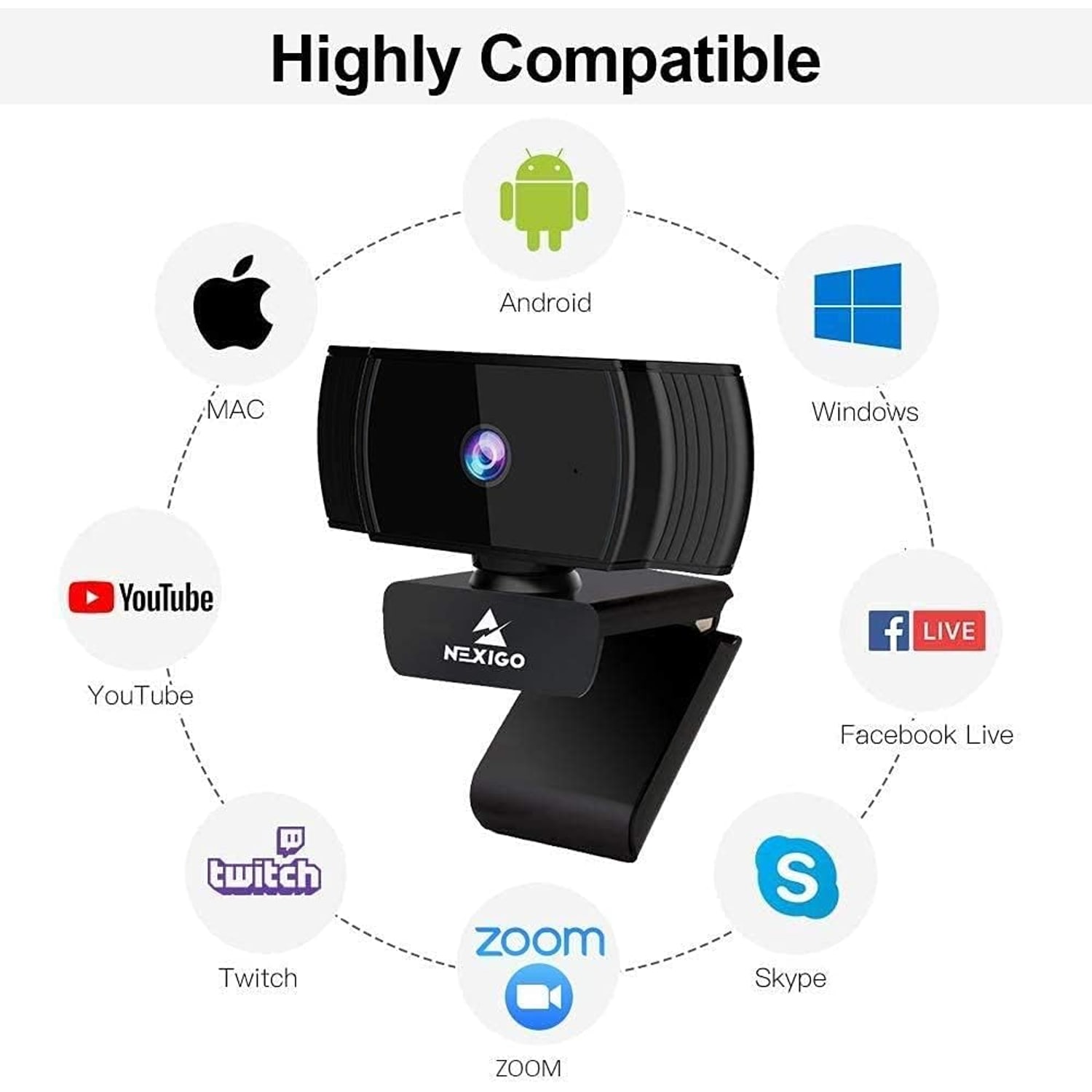
Operating SystemsWindows XP SP3/7/8/10, macOS 10.6 or above, Ubuntu 10.04 or above, Linux 2.6.24 or above, Chrome OS 29.0.1547 or above, Android 5.0 or above
Image StabilizationNo
Water ResistanceNot water resistant
Unit Count1
Weight0.19 kg
Shipping & returns

Tracked delivery anywhere in the USA. It is free on orders of $150 or more, and a flat $20 below that.

If it is not right for you, send it back within 14 days of delivery in resaleable condition and we refund the price you paid, including standard delivery. That is a voluntary policy we offer on top of your legal rights. You cover the cost of returning it unless the item is faulty.

If it arrives faulty, damaged or not as described, we put it right at no cost to you under the consumer protection law of your state and the Federal Trade Commission Act, return postage included.

Shipping details · Refunds and returns

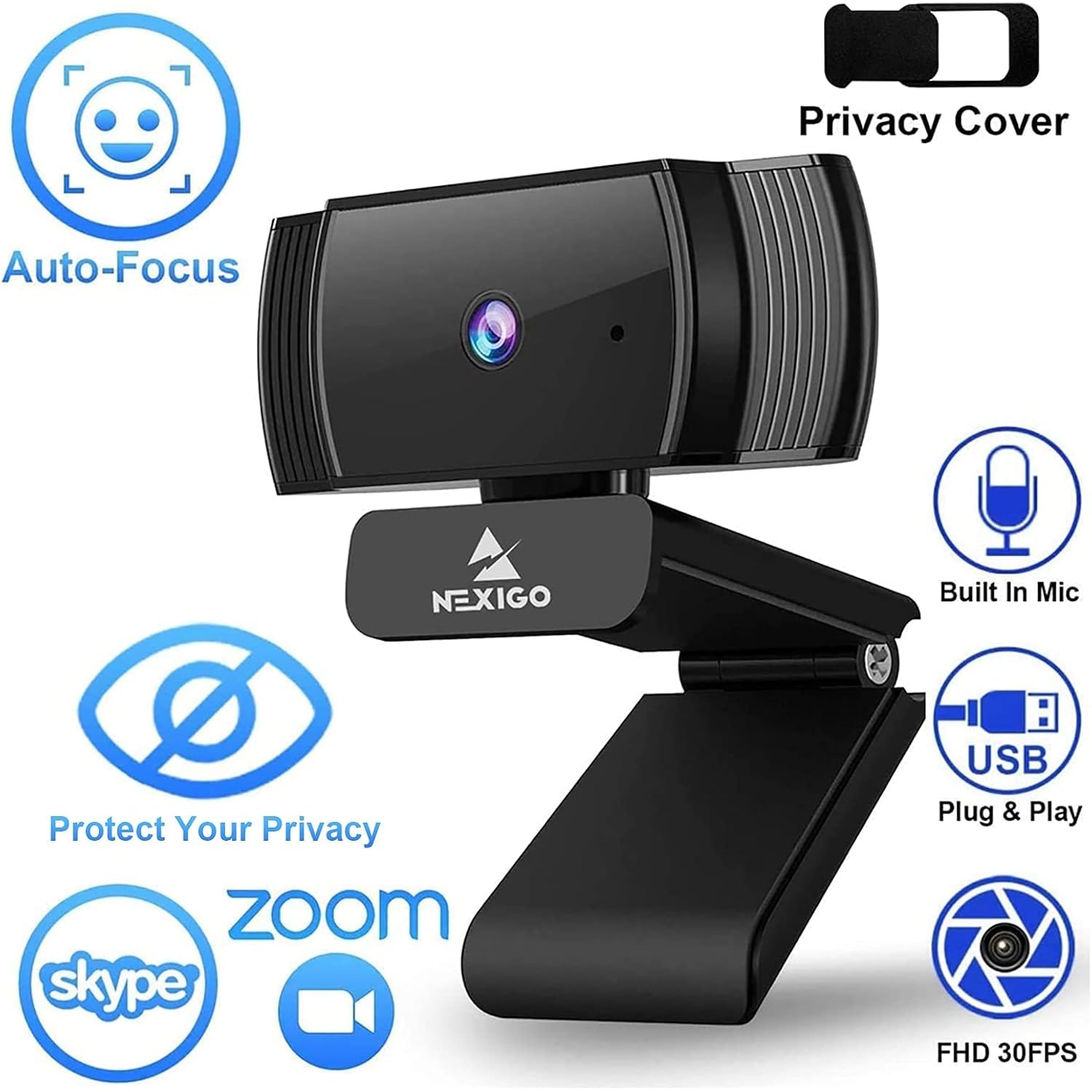
True Autofocus LensLocks onto you from about 7 cm out and holds sharp as you move.
Noise-Canceling MicBuilt-in microphone trims room noise so your voice carries.
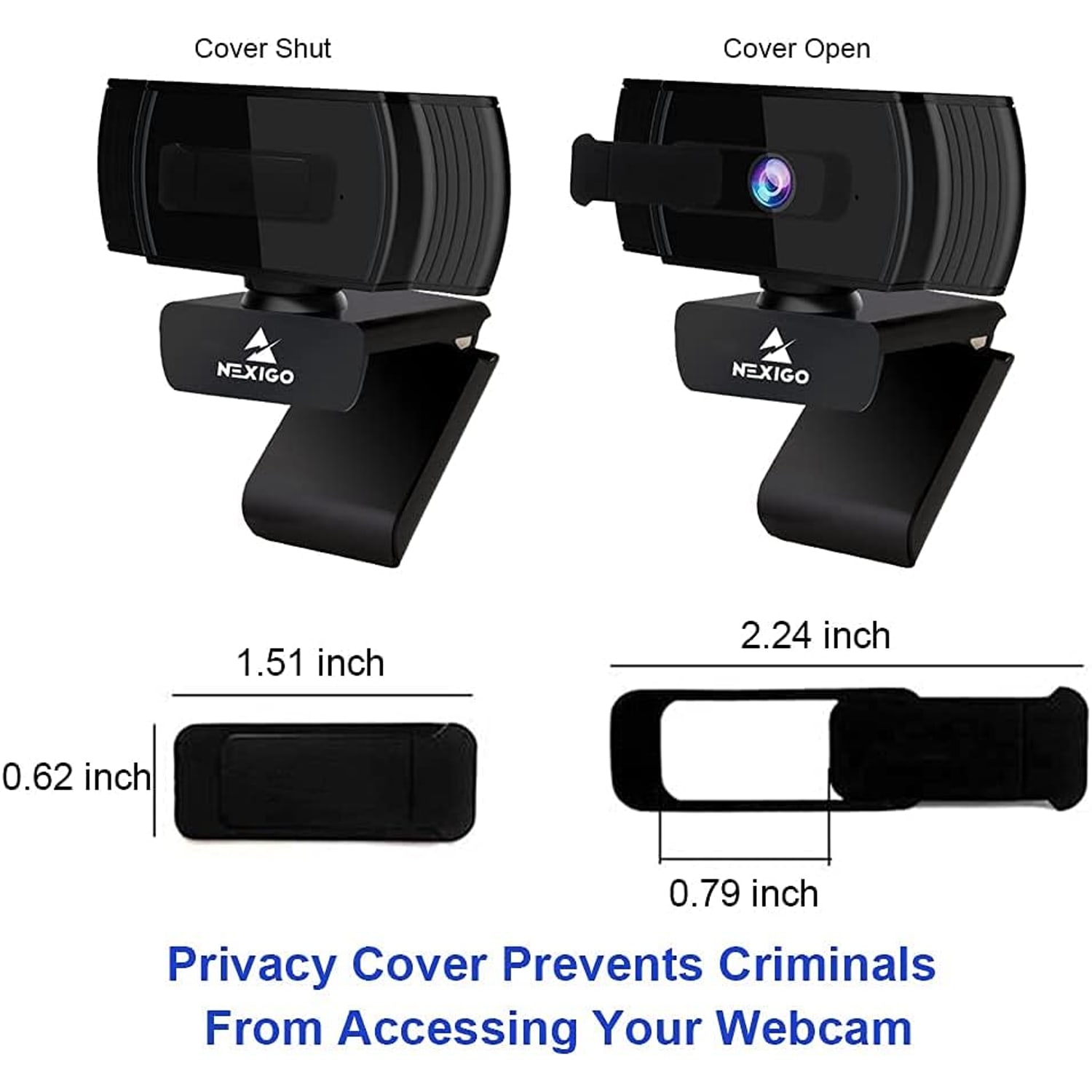
Sliding Privacy CoverCovers the lens when you are finished and keeps dust off the glass.
Plug And Play USBNo drivers to chase, and the 6.5 ft cable reaches most desks.

Show up sharp on every call with a 1080p autofocus webcam that keeps you in focus whether you lean in, lean back or move around your desk.

A two megapixel CMOS sensor shoots Full HD at 30 frames per second, the built-in noise-canceling microphone trims background hum, and a sliding privacy cover shields the lens the moment you are done.

A two megapixel CMOS sensor records Full HD 1080p video at 30 frames per second, so your face reads clearly instead of turning into a soft blur.

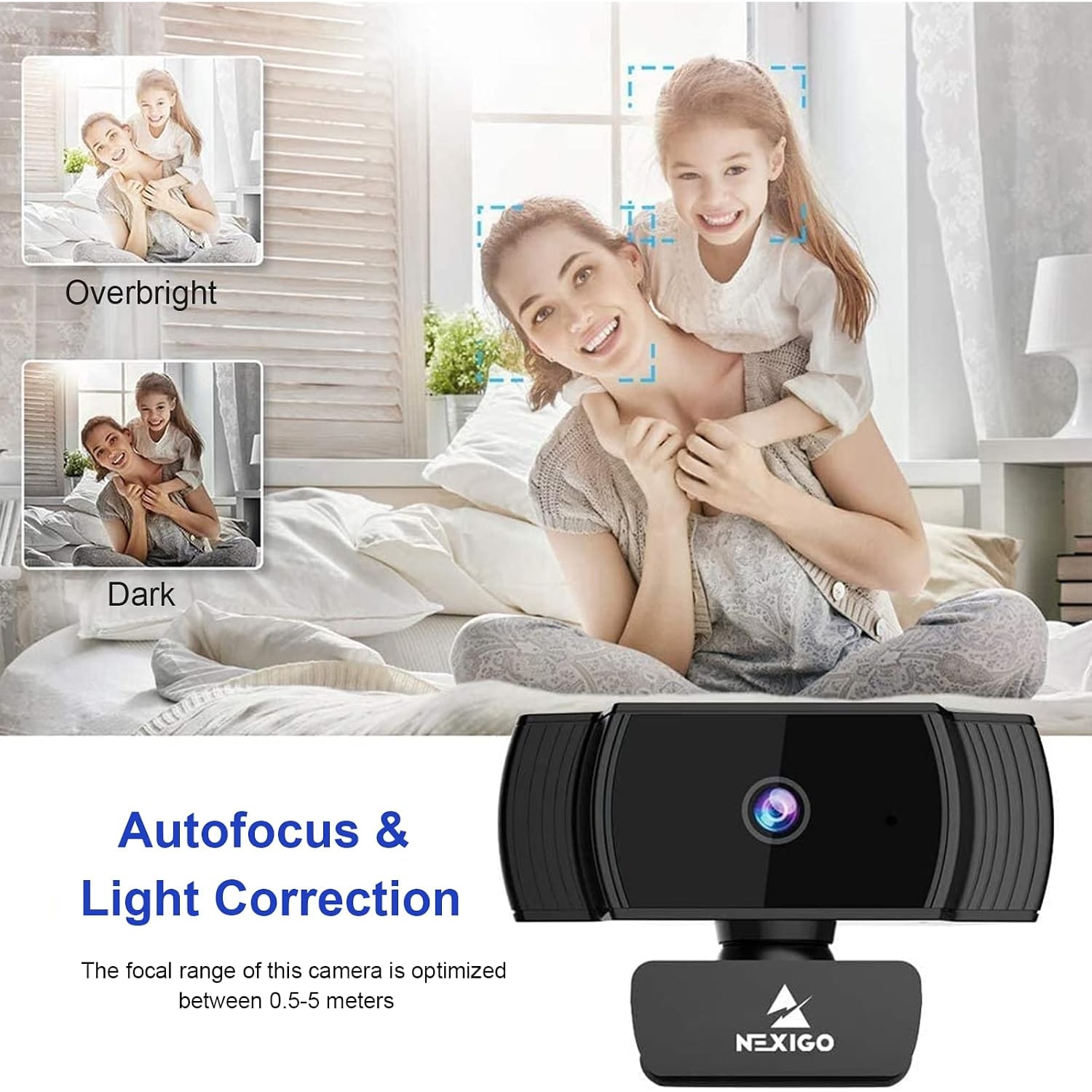
Autofocus starts working from roughly 7 cm and keeps adjusting as you shift position, and you can switch it off and set focus manually when you prefer a fixed point.

The built-in noise-canceling microphone picks up your voice while cutting back on ambient noise.

A sliding privacy cover closes over the lens in a second, which also protects the glass from dust and fingerprints between calls.

USB plug and play setup works with Windows, macOS, Linux, Ubuntu, Chrome OS and Android devices without installing extra drivers.

AutoFocus 1080p Webcam with Stereo Microphone and Privacy Cover

Most laptop cameras were an afterthought. They sit above the screen with a tiny sensor, a fixed focus lens and a microphone that treats your keyboard clatter as a feature. The result is the flat, grainy, slightly yellow picture everyone has learned to accept on calls. This webcam replaces that with a two megapixel CMOS sensor shooting 1080p at 30 frames per second, which is enough detail to read expressions properly and enough frame rate that hand gestures do not smear.

AutoFocus 1080p Webcam with Stereo Microphone and Privacy Cover

The autofocus is the part people notice first. Fixed focus webcams have a sweet spot, and if you sit outside it you go soft. This lens starts focusing from around 7 cm and keeps hunting as you move, so leaning in to point at something on screen does not cost you sharpness. If you would rather lock it down, say for a product demo where you want the focus held on an object instead of your face, autofocus can be switched off and set manually. The lens is wide angle with a 47.5 degree viewing angle and an f/2 maximum aperture, and the camera includes low light correction for rooms that are not studio bright.

AutoFocus 1080p Webcam with Stereo Microphone and Privacy Cover

Sound matters as much as picture, and the built-in microphone has noise cancellation to pull back the constant background layer most home offices carry. Fan noise, distant traffic, the air conditioner cycling on. It will not turn a busy cafe into a quiet booth, but it does make a normal room sound like a normal room rather than a wind tunnel. Supported audio formats are MP3, WAV and AAC, and video records to MP4 with still images saved as JPEG.

AutoFocus 1080p Webcam with Stereo Microphone and Privacy Cover

Privacy is handled physically. A cover slides across the lens when you are not on a call, which is far more reassuring than trusting a software indicator light. It also keeps dust and fingerprints off the glass, and a clean lens is a surprisingly large part of why a camera looks sharp two years in. Automatic white balance and automatic exposure handle the rest, with manual shooting modes available if you want more say.

AutoFocus 1080p Webcam with Stereo Microphone and Privacy Cover

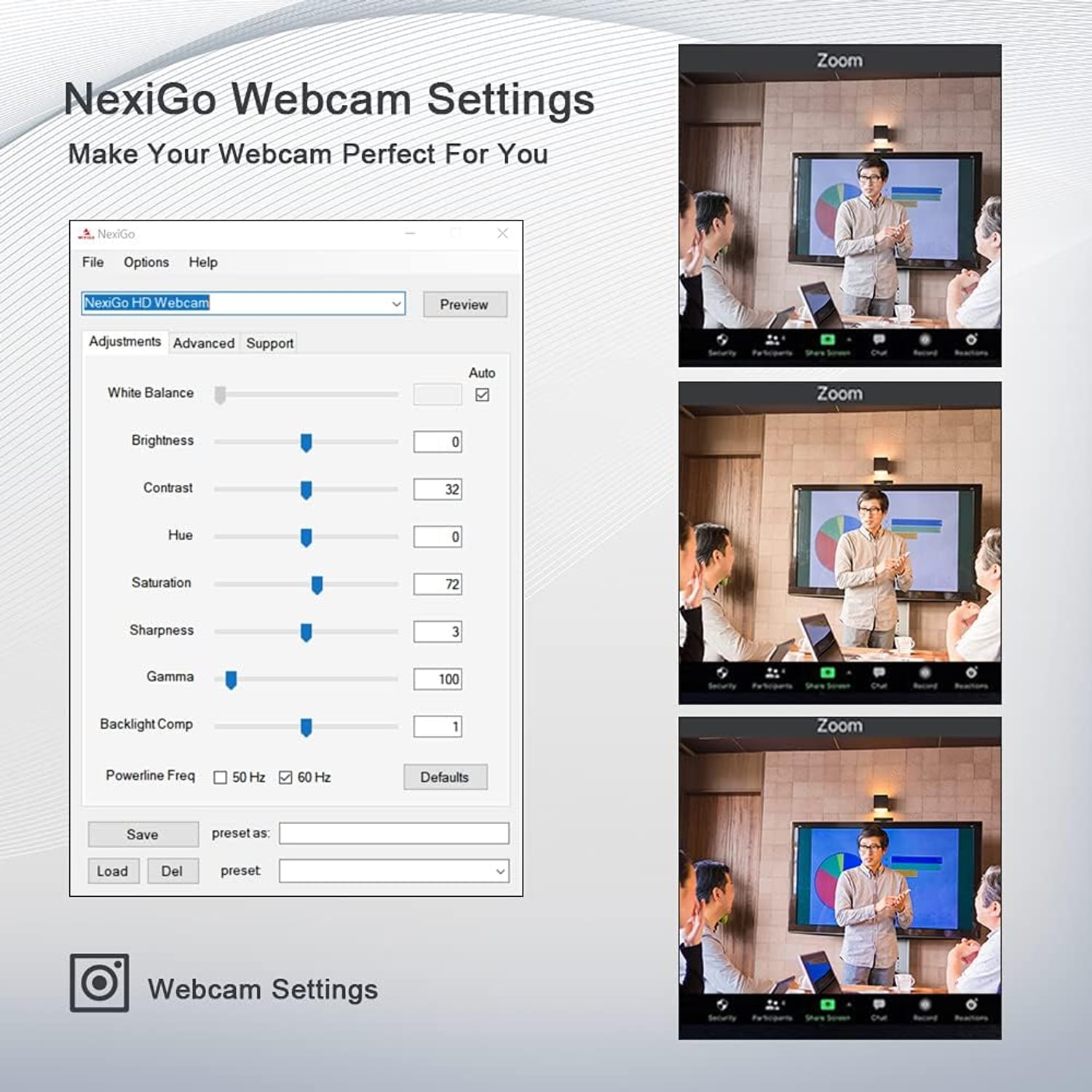
Setup is USB plug and play with no drivers to download. The 6.5 ft cable is long enough to reach a tower under the desk, and the folding mounting clip grips monitors, laptop lids, tripods or just sits on a flat surface. It weighs 0.19 kg, folds flat and travels easily. Compatibility covers Windows XP SP3 through 10, macOS 10.6 or above, Ubuntu 10.04 or above, Linux 2.6.24 or above, Chrome OS 29.0.1547 or above, and Android 5.0 or above. Optional webcam software lets you adjust available settings while you are inside Zoom, Skype, Teams and similar apps.

Not sure yet? That is fine.

A camera has to suit the job you bought it for, and you cannot always judge that from a photograph. If it is not right for you, send it back within 14 days of delivery in resaleable condition and we refund the price you paid, including standard delivery. That is a voluntary policy we offer on top of your legal rights.

If it turns up faulty, damaged or not as described, that is on us. The consumer protection law of your state covers you, and we pay the return postage. Read the full detail on our refunds and returns page, or ask us anything before you order.

Frequently Asked Questions

What exactly is this product?

It is a compact USB webcam that records Full HD 1080p video at 30 frames per second. It has an autofocus lens, a built-in noise-canceling microphone and a sliding privacy cover, and it clips onto a monitor, a laptop lid or a tripod.

How is autofocus different from a fixed focus webcam?

A fixed focus webcam is sharp only within a set distance band, so moving closer or further back softens the picture. This lens keeps adjusting as you move, starting from around 7 cm out. That is the main reason people look for the best autofocus webcam for streaming rather than a basic fixed lens model.

Can I turn the autofocus off?

Yes. Autofocus can be disabled so you can set the focal point manually. That is useful if you are filming an object rather than your face and you do not want the lens hunting every time your hands move.

What video resolution does it record?

It records 1080p Full HD at 30 frames per second. Still images are captured at 2 megapixels, which matches the sensor resolution.

What sensor does it use?

It uses a CMOS sensor rated at two megapixels. CMOS is the standard sensor type in modern webcams and handles typical indoor lighting reasonably well.

How wide is the field of view?

The stated viewing angle is 47.5 degrees, and the maker describes the lens as wide angle. That frames one person comfortably at normal desk distance, with a little room on either side.

Does it have a microphone?

Yes, there is a built-in microphone with noise cancellation. The maker says it reduces ambient noise to improve the sound of your video.

Do I still need a headset?

For most calls the built-in mic is enough, which is why shoppers often look for the best webcam with built-in microphone to cut down on desk clutter. If you are recording a podcast or working in a loud shared space, a dedicated mic will still sound better.

What audio formats does it support?

Supported audio formats are MP3, WAV and AAC. Video is captured as MP4 and still images as JPEG.

How does the privacy cover work?

It is a physical cover that slides across the lens. When it is closed, the lens cannot see anything, which is more certain than relying on an indicator light. It also keeps dust off the glass between sessions.

What connection does it use?

It connects by USB. There are no drivers to install, so it is plug and play on supported systems and usually ready within a minute of plugging in.

How long is the cable?

The USB cable is 6.5 ft, which is 2 meters. That is long enough to reach a tower on the floor or run from a laptop to a separate monitor stand.

Which operating systems work with it?

Stated support covers Windows XP SP3, 7, 8 and 10, macOS 10.6 or above, Ubuntu 10.04 or above, Linux 2.6.24 or above, Chrome OS 29.0.1547 or above, and Android 5.0 or above. The maker's feature text also names Windows 11.

Will it work with Zoom, Teams and Skype?

Yes. It appears as a standard USB camera and microphone, so you select it from the device list inside the app. Optional webcam software lets you adjust available camera settings while those apps are running.

Can I use it for streaming?

Yes. It outputs 1080p at 30 frames per second over USB, which suits broadcast software and live streaming platforms. Anyone shopping for the best webcam for recording video at this resolution will find the frame rate steady enough for talking head content.

Does it work for online classes?

It does. Full HD at desk distance with autofocus means a teacher or student stays sharp even when leaning toward the screen, which is a common need for the best webcam for online classes.

How does it handle a dim room?

The maker names low light correction as a feature and the lens has an f/2 maximum aperture, which lets in a reasonable amount of light. You will still get a better picture with a lamp facing you rather than a window behind you.

Does it have image stabilization?

No. The maker states there is no image stabilization. Since the camera is clipped to a monitor or sat on a desk, it is not moving around in normal use.

Is there optical zoom?

Zoom is digital, not optical. Digital zoom crops into the sensor image, so pushing in too far will soften the picture.

How does it mount?

It uses a folding clip that grips a monitor bezel or a laptop lid. The same clip folds flat so the camera can sit on a desk or shelf, and it can be fitted to a tripod.

How much does it weigh?

It weighs 0.19 kg. The folding design and light weight make it easy to pack, which is what people want from the best compact webcam for travel.

What distance does the autofocus work best at?

The maker gives a 7 cm starting point for the autofocus. Its photos add that the focal range is optimized between 0.5 and 5 meters, which covers normal desk distance and a step or two back.

Can I use it with a phone or tablet?

Compatible devices are given as computers, laptops and smartphones, with Android 5.0 or above supported. On a phone you will usually need a USB adapter and an app that accepts an external camera.

Is it waterproof?

No. The maker states it is not water resistant, so it is for indoor use only. Keep it away from sinks, open windows in wet weather and anywhere steam collects.

How do I clean it?

Wipe the lens with a dry microfiber cloth using light pressure. Do not use liquid cleaners or solvents on the glass, and keep the privacy cover closed when you are not filming to limit dust buildup.

Does the camera record on its own?

No. It is a USB camera, so it sends video to a computer and the recording is handled by software on that device. There is no internal storage for standalone capture.

Is this a good gift?

It is a practical gift for anyone working from home, studying online or starting a channel. It is small, it needs no setup knowledge, and it solves the common complaint about blurry built-in laptop cameras.

How is it delivered and how long does it take?

We deliver to addresses across the United States by tracked delivery. Most orders arrive within 3 to 8 business days of the order date, and Alaska, Hawaii and remote addresses can take a little longer. Delivery is free on orders of $150 or more and a flat $20 under that.

Are there rules about recording other people?

Recording audio and recording other people is covered by federal and state law, and the rules vary. Check what applies where you are before recording anyone other than yourself.

What if it is not right for me?

Returns are accepted within 14 days of delivery in resaleable condition. Keep the original packaging and the cable, get in touch with your order number, and we will walk you through sending it back.

How to Choose a 1080p Autofocus Webcam for Calls, Classes and Streaming

6 min read Camera Company

The problem with the camera you already have

Open your laptop, start a call, and look at yourself in the preview window. Most people see a slightly soft, slightly washed out version of their face, with the skin tones pushed a little too warm or a little too green. That is not your fault and it is not the lighting. Laptop cameras are squeezed into a lid that is a few millimeters thick, which means a tiny sensor and a tiny lens. There is only so much light they can gather.

The second problem is focus. Almost every built-in camera uses fixed focus. The manufacturer picks one distance, usually about an arm's length, and everything is tuned for that. Sit back in your chair and you drift out of it. Lean forward to point at something on screen, and you go soft at exactly the moment you want to be clear. Hold a document or a product up to the camera and it turns to mush.

A separate USB webcam fixes both things at once. It gets a bigger lens, a proper sensor, and in this case a focusing motor that keeps adjusting instead of guessing once at the factory.

What autofocus actually changes

This camera focuses from around 7 cm outward and keeps tracking as you move. In practice, that means three everyday situations get noticeably better.

Holding something up to the lens is the obvious one. If you teach, sell, repair things or run craft sessions, showing an object close to the camera is routine. A fixed focus lens cannot handle it. Second, leaning in and out. Nearly everyone shifts position during a long meeting, and with autofocus that costs you nothing. Third, moving the camera itself. Clip it to a tripod and point it at a whiteboard, and the lens works out the new distance on its own.

There is a flip side worth knowing. Autofocus systems sometimes hunt, meaning they pull focus back and forth when the scene is busy or the light is low. That is why the manual override matters. You can switch autofocus off, set the point where you want it, and the lens stays put. For a fixed product demo or a locked-down stream layout, manual is often the better choice. Having both options is the point.

Resolution, frame rate and what they feel like

The sensor is a two megapixel CMOS recording 1080p at 30 frames per second. Those two numbers do different jobs.

Resolution is detail. At 1080p your face has enough pixels to read expression properly, and text held up to the lens is legible rather than suggested. Most conferencing platforms compress what you send anyway, so starting from a clean 1080p signal gives the compression something good to work with. Starting from a muddy 720p signal does not.

Frame rate is smoothness. At 30 frames per second, hand gestures and head movement look natural. Drop below that and movement starts to stutter in a way viewers register as cheap even if they cannot name it. For talking to camera, teaching, interviews and most streaming, 30 fps is the right target. Faster rates mainly matter for gaming capture and sports.

The aspect ratio is 16:9, which matches every modern monitor and every video platform, so nothing gets mailboxed or cropped awkwardly.

Light is the thing nobody budgets for

If you only change one thing about your setup, change the lighting, not the camera. An f/2 maximum aperture and low light correction help this camera cope with ordinary rooms, but physics still applies. Cameras need light.

The single most common mistake is sitting with a window behind you. The camera exposes for the bright background and your face turns into a silhouette. Turn your desk around, or close the blind, so the window is in front of you or off to one side. Soft daylight on your face is better than any lamp.

If daylight is not available, put a lamp behind your monitor, pointed at you, with something to diffuse it. A sheet of paper taped over a shade works. Avoid a single harsh ceiling light directly overhead, which carves shadows under your eyes and nose.

Good light also helps autofocus. Focusing systems need contrast to work with, and dim scenes give them less to lock onto. A well lit room means faster, steadier focus.

Sound, and why the mic is half the job

People will forgive a mediocre picture. They will not forgive bad sound. If your audio is hollow, clipped or buried in background noise, listeners tune out within a minute.

The built-in microphone here has noise cancellation, which targets steady background sound: fans, air conditioning, the low rumble of traffic. It thins that layer out so your voice sits forward. It is not magic. Sudden sounds like a door slamming or a dog barking will still come through, and a very reverberant room will still sound like a very reverberant room.

A couple of simple fixes help more than most people expect. Sit closer to the camera, because microphone distance matters enormously. And soften the room. A rug, curtains, a bookshelf or even a jacket over the back of a chair absorbs reflections and makes voices sound less boxy. Supported audio formats are MP3, WAV and AAC, so recordings drop straight into common editing tools.

The privacy cover, and why physical beats software

Software indicator lights tell you a camera is active. A sliding cover makes it impossible for the camera to see anything at all. For a lot of people that peace of mind is the deciding feature, especially if the camera lives on a monitor in a bedroom or a shared space.

There is a second, less discussed benefit. Lenses collect dust and fingerprints, and a dirty lens is a slow decline in image quality that you often do not notice because it happens gradually. Keeping the cover closed between sessions means the glass stays clean, and clean glass is free sharpness.

Mounting, cable and moving it around

The folding clip grips monitor bezels and laptop lids, then folds flat so the camera can sit on a desk, a shelf or a stack of books. There is also tripod mounting, which opens up overhead shots and whiteboard angles.

The USB cable is 6.5 ft, which is 2 meters. That matters more than it sounds. A short cable forces you to position the camera wherever the port happens to be. Two meters gives you room to run down to a tower under the desk or across to a second screen.

At 0.19 kg the whole thing packs into a bag without thought. If you move between a home desk and an office, or travel for work, a folding camera that needs no drivers is one less thing to plan around.

Setup, compatibility and care

Plug and play means exactly that. There is nothing to download. Connect the USB cable, open your video app, and pick the camera from the device list. Supported systems include Windows XP SP3 through 10, macOS 10.6 or above, Ubuntu 10.04 or above, Linux 2.6.24 or above, Chrome OS 29.0.1547 or above, and Android 5.0 or above. Optional webcam software is available if you want to adjust camera settings while a call is running.

Care is minimal. Dry microfiber on the lens, no liquids, no solvents. Unplug by the connector rather than yanking the cable, and avoid tight coils that stress the wire where it enters the body. The camera is not water resistant, so keep it indoors and away from steam. Close the privacy cover when you are done.

One note on recording. Recording audio and recording other people is covered by federal and state law, and what is allowed varies. Check the rules that apply to you before you record anyone besides yourself.

The short version

If your current camera is a laptop lid camera, almost anything is an upgrade. What makes this one worth a look is the combination of real autofocus with a manual override, a 1080p 30 fps signal that survives platform compression, a noise-canceling mic that handles ordinary room hum, and a physical lens cover.

Put light on your face, sit a comfortable arm's length away, and let the lens do the rest. For calls, classes, meetings and straightforward streaming, that setup covers almost everything people actually need.

Browse the shop

Not sure if autofocus is worth it?

Tell us how far you sit from your screen and what apps you use, and we will tell you straight whether this camera is the right fit.

Ask us a question

Page summary

This is a compact USB webcam that records Full HD 1080p video at 30 frames per second using a two megapixel CMOS sensor, with 2 MP still images saved as JPEG and video captured as MP4. It uses an autofocus wide angle lens with a 47.5 degree viewing angle and f/2 maximum aperture. Autofocus starts from 7 cm and can be turned off for manual focus. A built-in noise-canceling microphone supports MP3, WAV and AAC audio. A sliding privacy cover shields the lens. Connection is plug and play USB with a 6.5 ft cable and a folding clip for monitors, laptops or tripods. Model number A229AF/N930AF. Weight is 0.19 kg. Color is black. Brand and country of origin are not specified by the maker.