
The complete guide
How to Choose a 4K Mirror Dash Cam
The problem with the mirror you already have
Your rear view mirror shows you a rectangle about the size of a paperback. Out of that, a chunk is taken up by headrests, another chunk by the rear pillars, and if there is anything stacked in the trunk the whole thing is useless. Most drivers have quietly learned to live with this. They lean, they twist, they rely on the door mirrors, and they reverse into parking spaces with a certain amount of hope.
A mirror dash cam fixes that in a fairly direct way. It puts a camera at the back of the vehicle, outside all the obstructions, and streams that view onto a screen where your mirror used to be. The load in the back stops mattering. At the same time, a second lens is recording the road ahead, which is the part most people actually bought a dash cam for.
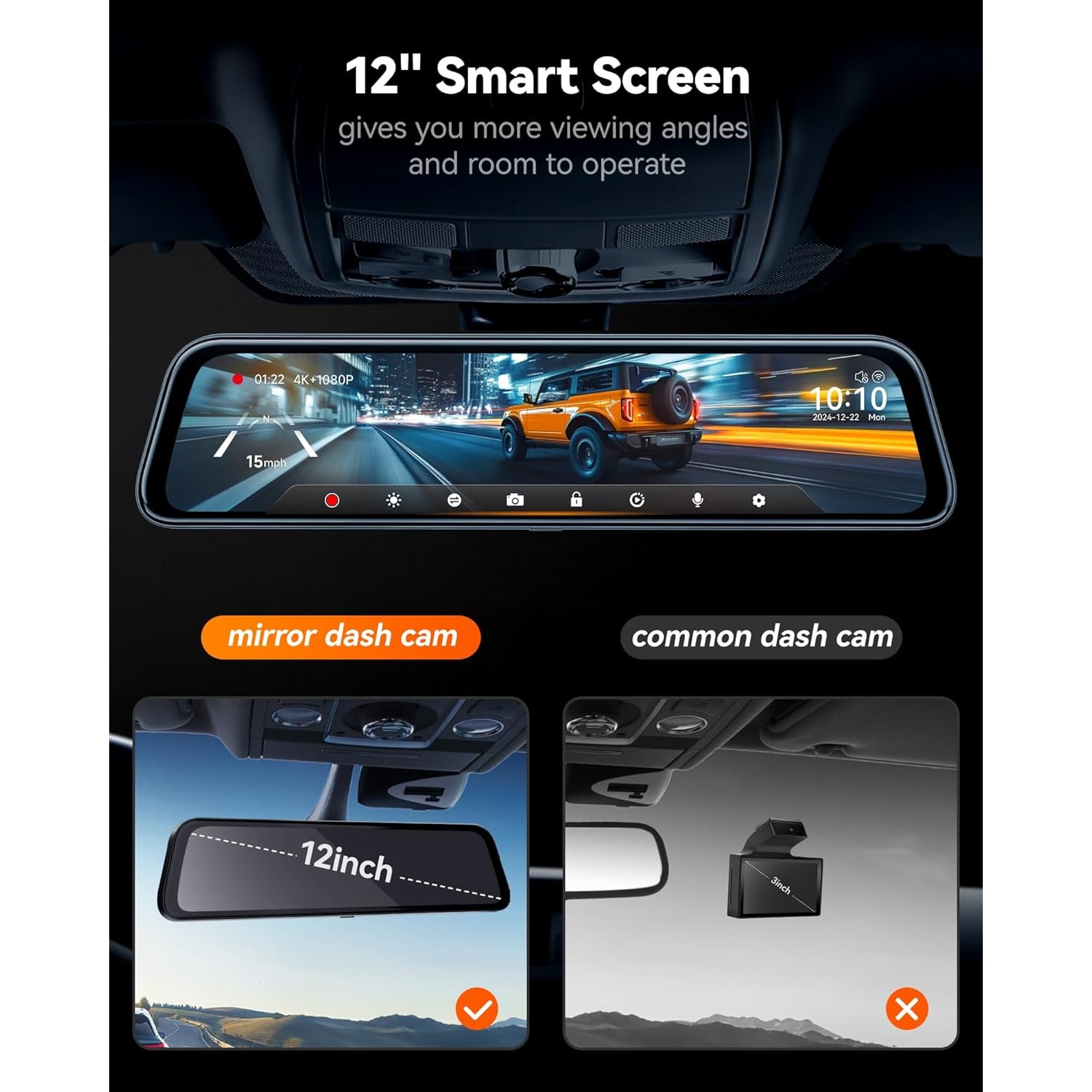
The 12-inch screen on this unit gives one and a half times the viewing area of an ordinary mirror, according to the maker. That extra width is not a gimmick. It shows more of the lanes behind you in one glance.
How a front and rear mirror dash cam works
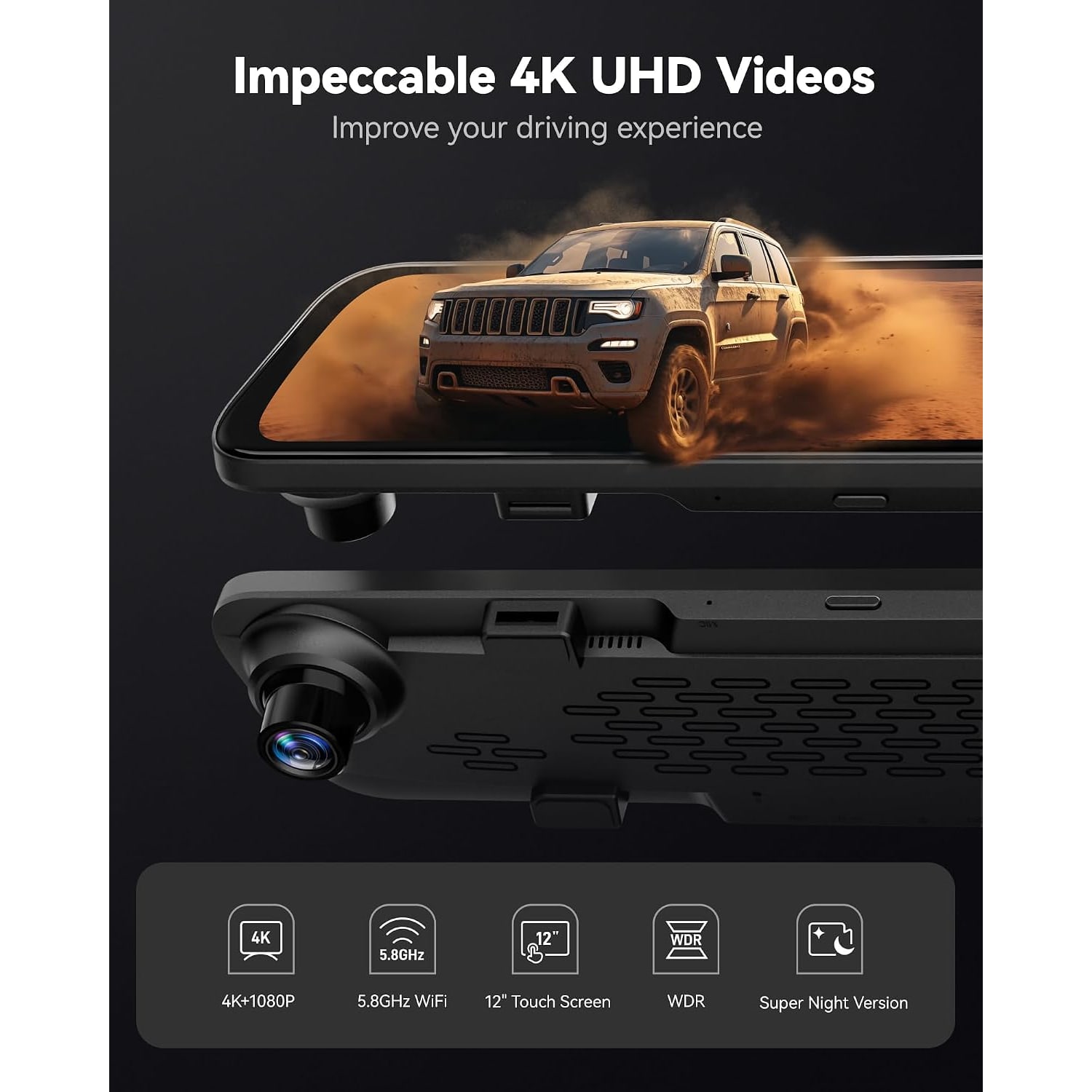
There are two cameras. The front lens sits in the mirror body and points out through the windshield. It records 4K UHD at 2160p, 30 frames per second, through an f/1.8 aperture with a 170 degree field of view.
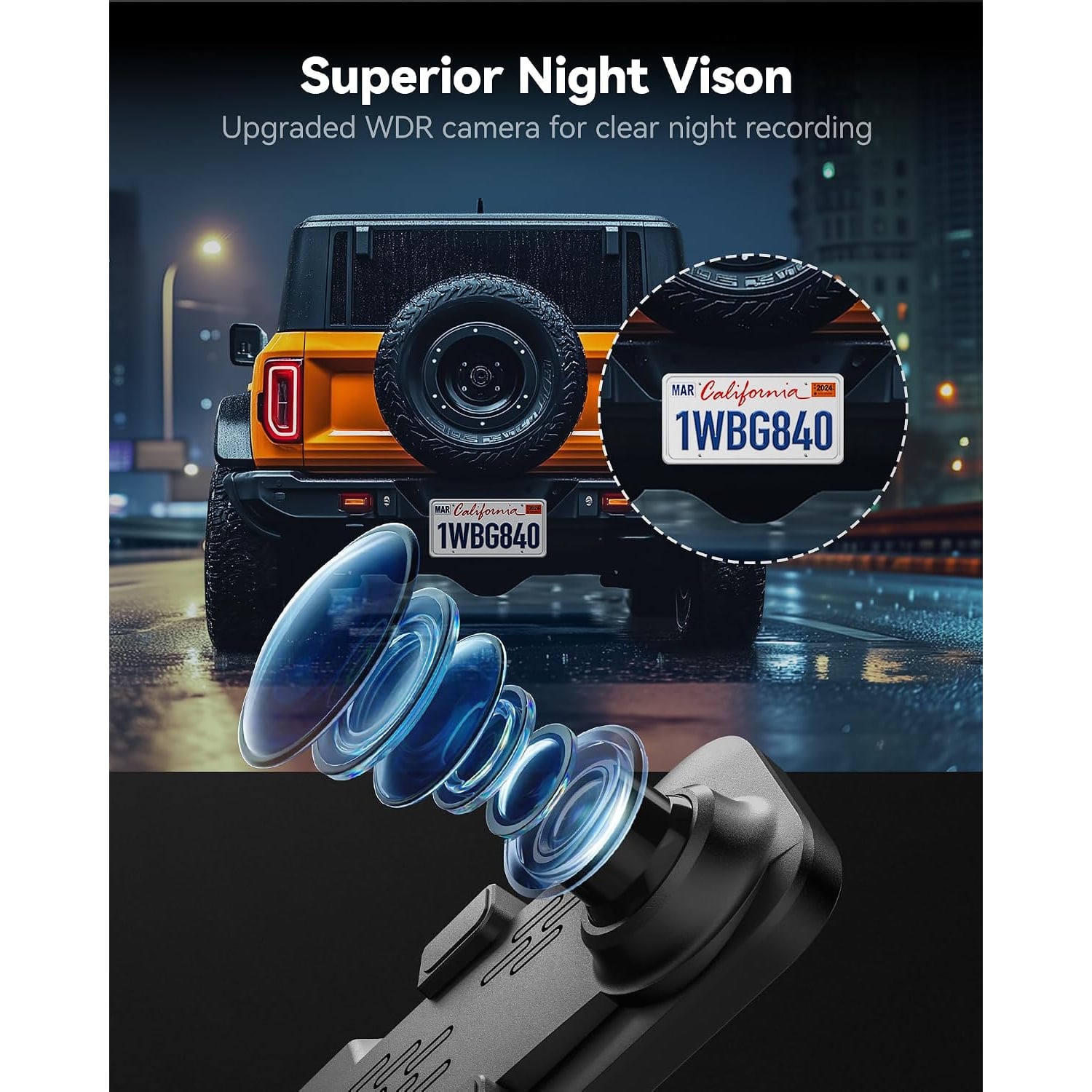
Resolution is the number everyone looks at, and it does matter. At 2160p you have roughly four times the pixels of 1080p covering the same scene, which is what lets you read a plate from further back or pull a legible frame from a moving car. But resolution alone does not make good footage. The aperture controls how much light reaches the sensor, and f/1.8 is on the brighter end for a dash cam. Combine that with WDR and HDR processing, which balance bright and dark areas within a single frame, and you get footage that holds detail when a car comes at you with high beams on a dark road.
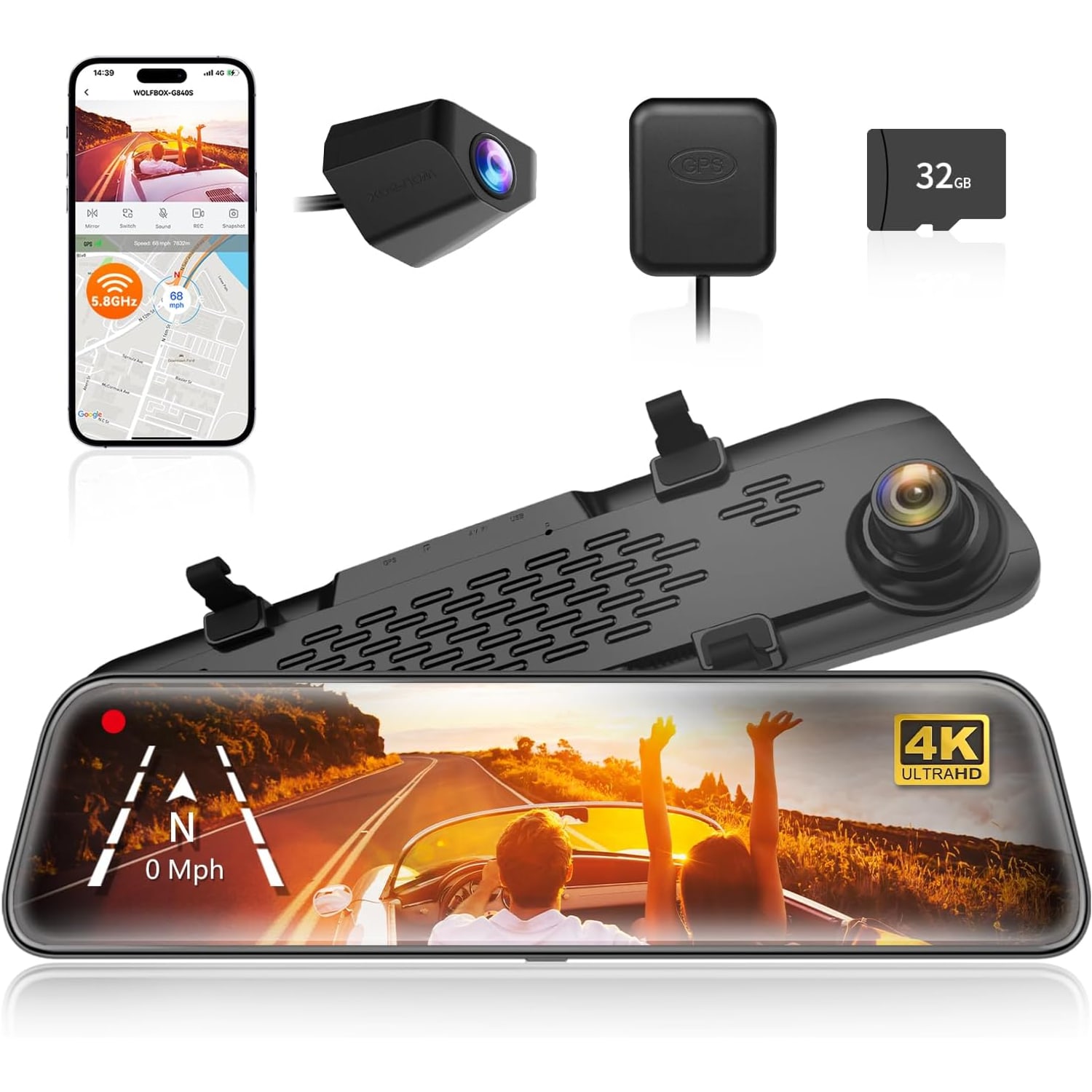
The rear camera records 1080p across 140 degrees. It mounts with the supplied screws and 3M tape and connects to the mirror by cable. The maker does not state the length of that cable, so if you drive a long van or pickup, ask us before you order.
The rear camera does double duty. Reverse assist puts parking guide lines on the screen, and you swipe up and down to adjust them. You are backing up while looking at the same screen your eyes use for the mirror, which feels natural after about a day.
The features that actually do something
Loop recording. The camera records in short chunks and overwrites the oldest when the card fills. You never manage storage. This is standard on any decent dash cam and it should be, because a camera you have to empty manually is a camera that eventually sits full and useless.
G-sensor. This detects sudden movement, a hard stop or a knock, and locks the current clip so the loop cannot erase it. If something happens, the relevant footage is still there a week later.
GPS. An external antenna is included and real-time GPS data shows on the screen. The maker's photos show speed and heading on the display. Among mirror units, GPS is not a given, so it earns a mention here.
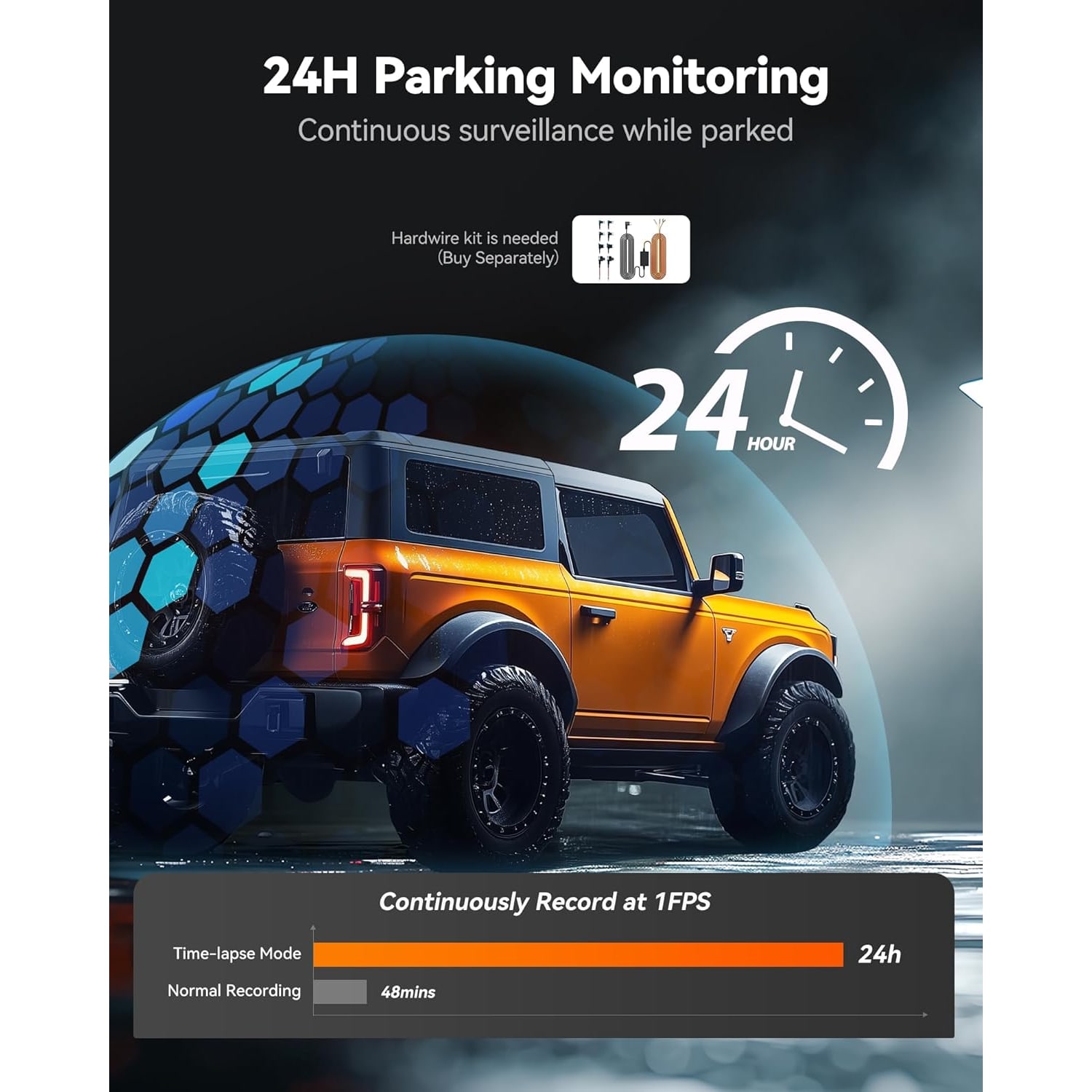
Parking monitor. Over 24 hours the camera can run a time-lapse at a low frame rate, which conserves power and storage. This needs a hardwire kit, sold separately.
Supercapacitor. This unit has a built-in supercapacitor. The camera runs from the 11 foot car charger while you drive, or from a hardwire kit if you add one for parking mode.
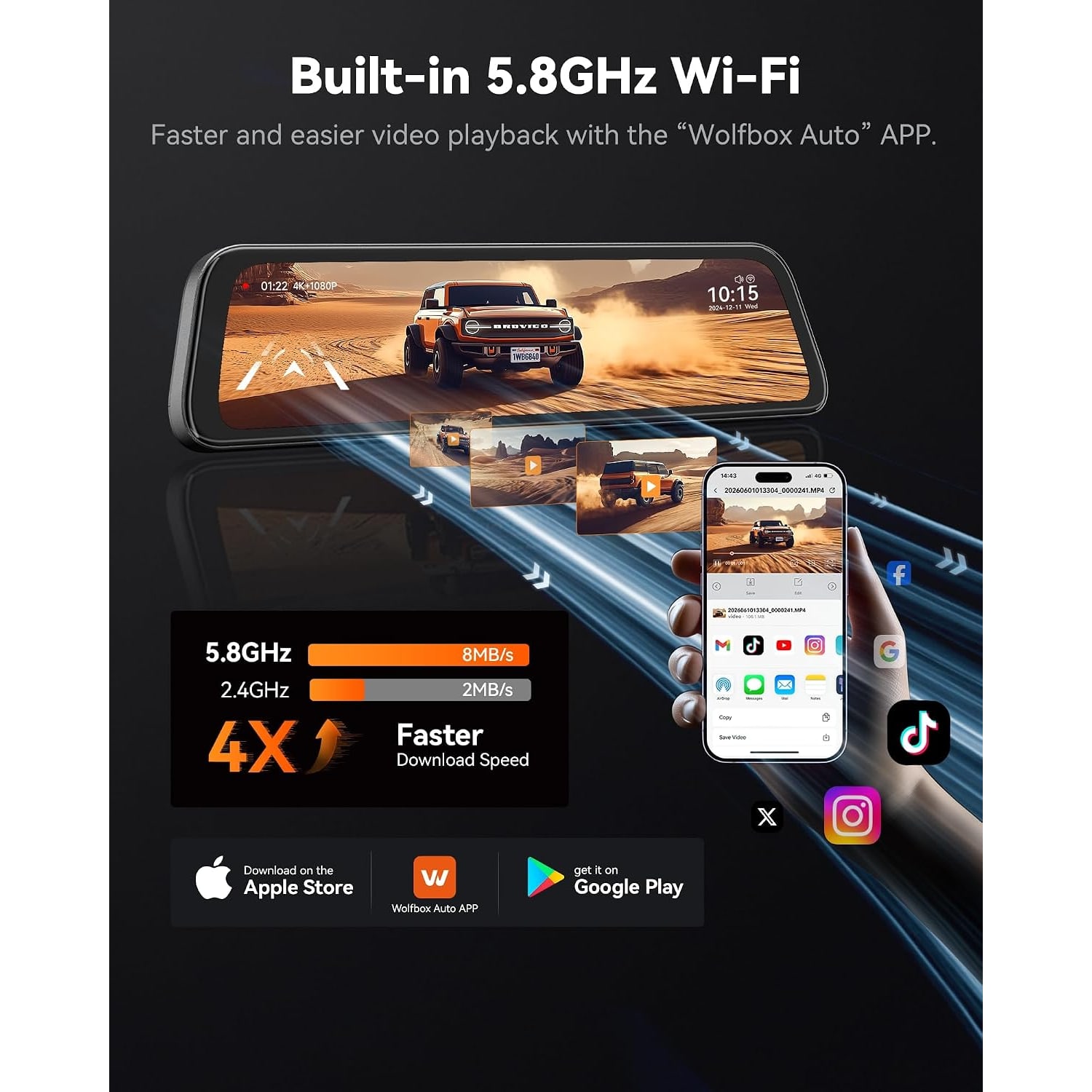
5.8GHz WiFi and app. Connect your phone, open the app on iOS or Android, and you can preview the live view, scroll back through recordings and download clips. Pulling the card out and finding a reader is a chore nobody enjoys, so this gets used more than you would think.
Who this suits
If you regularly carry people or cargo that blocks your mirror, this is the clearest win. Families with a trunk full of strollers and bags, tradespeople with a loaded van, anyone towing. The rear camera sees past all of it.
It also suits drivers who want a backup camera but do not want to mount another screen on the dashboard. You get both functions in one unit, in a position that does not clutter the cabin.
Drivers doing high mileage benefit from the 4K front lens. More road time means more chance of needing footage, and the detail at 2160p is worth having when you do.
If you drive a small car, park in tight spots and never carry more than a shopping bag, a compact windshield camera might serve you just as well for less money. Be honest about which of these you are.
Choosing between mirror dash cams
A few things separate good from mediocre in this category.
Screen quality is the one most people underestimate. A glossy screen in direct sun turns into a mirror in the wrong sense. This unit uses a low-reflectivity LCD behind 2.5D curved glass, which cuts daylight glare considerably. When you compare options, look for that detail rather than just the screen size.
Then check whether the rear camera is genuinely included and what resolution it records. Some mirror cameras are sold without one. Here the 1080p rear camera with screws and 3M tape is in the box, along with the GPS antenna, the 11 foot car charger and a 32GB card already fitted in the slot.
Card capacity is worth a glance too. This camera takes cards up to 128GB, which at 4K is a decent stretch of driving before the loop comes round.
Finally, consider the file format. The maker gives TS as the supported standard here.
Fitting and living with it
The mirror unit itself mounts over your existing mirror. Tighten it properly, because a loose fit will shake on rough roads. The maker gives the item weight as 830 g.
The rear camera is the longer job. The cable runs along the headliner, down a pillar and back to the rear of the vehicle. With a plastic trim tool and some patience it is a weekend-morning task for most people. Some drivers prefer an installer for this step, and there is no shame in that.
Once it is in, maintenance is minimal. Wipe the lenses and screen with a dry microfiber cloth, no solvents or glass cleaner on the lens coating. Reformat the card in the camera every few weeks so the file system stays clean, and back up anything you want to keep first.
One point on audio. There is a built-in speaker and a mute function. Recording audio and recording other people is covered by federal and state law, so check what applies where you drive and set it accordingly.
The short version
This is a 4K mirror dash cam with a 12-inch touch screen, a 170 degree front lens recording at 2160p, a 1080p rear camera covering 140 degrees, GPS, WiFi, loop recording, a G-sensor and a 24-hour parking monitor that needs a hardwire kit. It ships with a 32GB card already in place and takes cards up to 128GB.
It makes most sense if your rear view is blocked, if you want a reversing view without adding another screen, or if you simply want the detail that 4K gives you when something goes wrong. Plan your rear cable run before you start, take your time over the install, and it will quietly do its job from then on.